
![How to Accept Crypto Payments in Telegram [2026]](/content/images/size/w2000/2026/02/crypto-telegram.png)
Accepting crypto payments in Telegram is becoming more common for creators, businesses, and online communities.
Telegram makes it easy to accept crypto payments as a business as it already supports crypto transactions through built-in wallets, subscription bots and even Stars.
In this article, we explain how crypto payments work in Telegram, no technical knowledge required, and how to set up a simple payment flow for your own subscription bot or page.
How Crypto Payments Work in Telegram
Telegram includes some built-in options related to crypto payments.

They work in different ways:
Crypto wallets (crypto transfers)
Users can send and receive crypto inside Telegram using wallet features like the native @wallet bot.
These wallets are built for holding and transferring crypto in chats, and they may also support actions like buying, exchanging, or transferring to other wallets.
This is still a wallet-to-wallet transfer, not a business checkout flow, so there is no built-in pricing or automatic delivery like in a payment system.
Telegram Stars (native payments, not crypto)
Stars are Telegram’s in-app currency used for payments inside Telegram.
These are usually bought via Apple/Google in-app purchases or @PremiumBot, so this is not the same as paying in crypto like BTC, ETH, or USDT.
Stars are only related to crypto because they can be withdrawn to TON in some cases, but Stars are not an on-chain crypto payment.
Telegram crypto payment bots (crypto payments for business)
Thanks to trusted third-party services like InviteMember, businesses can accept crypto payments in Telegram through bots and payment pages.
These bots and pages show subscription plans and provide links to CoinPayments invoices to pay in crypto.
After CoinPayments confirms the payment, InviteMember continues the flow in Telegram or your subscription page. If CoinPayments isn’t available in your country, InviteMember offers Access Codes for semi-automated access too.
What is CoinPayments
CoinPayments is a global crypto payment gateway available in 200+ countries.
It lets you offer thousands of cryptocurrencies as payment options. With the InviteMember integration, CoinPayments payments can trigger automated access to your Telegram paid channels and groups.
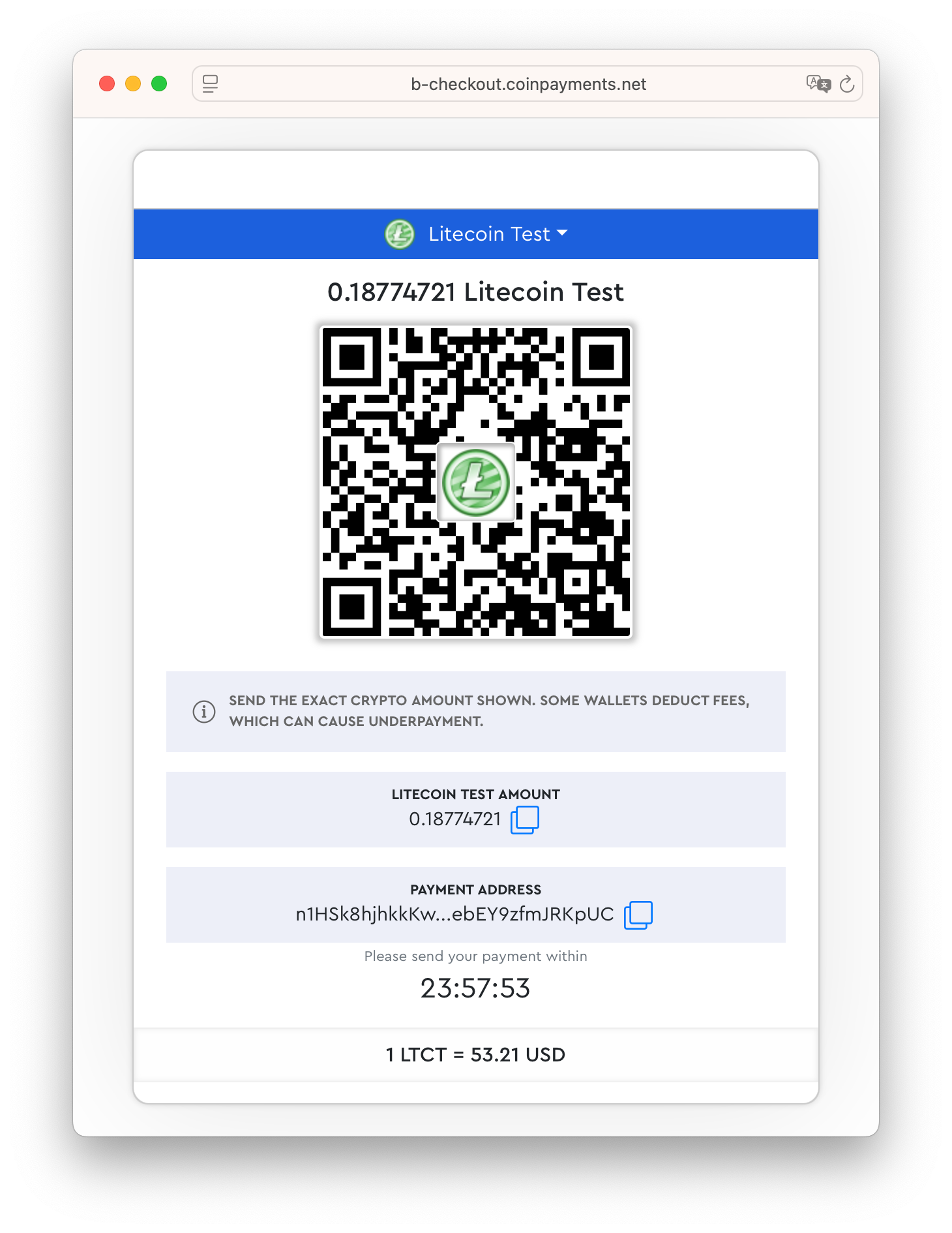
InviteMember can use CoinPayments to automate crypto payments for your subscription bot and subscription page.
Enable CoinPayments in Your Subscription Project
- Create a CoinPayments account.
- Enable CoinPayments as payment option in InviteMember dashboard.
- Choose which coins you want to accept for payments (in CoinPayments).
If CoinPayments is not available in your country: use Access Codes
If you can’t use CoinPayments in your case (for example, due to local restrictions), and you want to accept crypto payments for paid channels or groups, you can use Access Codes.
Flow:
- The user pays you directly (wallet-to-wallet).
- They contact you through your membership bot.
- You generate an Access Code activation link in InviteMember and send it to the user.
- The user opens the link and starts your bot, or enters the code on your subscription page, then gets the links to join your groups and channels.
- If they don’t renew with a new code before the due date, they are removed from your Telegram paid space.
In Short
Telegram already makes crypto transactions easy for users, but businesses usually need a clearer payment flow: plans, checkout, and a reliable way to deliver what the customer paid for.
If you want an automated setup, enable CoinPayments in your InviteMember project and accept crypto payments through your subscription bot or subscription page.
If CoinPayments is not available in your country, you can still accept crypto manually and deliver access using Access Codes.
This is the simplest way to accept crypto payments as a business using Telegram, because it combines a clear checkout flow with automatic access delivery—no custom development required.

