
A Telegram bot link opens a bot or one action inside that bot. It does not add someone to a private group or channel by itself. First decide what the person should do after they tap the link, then share the route that leads there.
Choose the link by the next action
| The person needs to | Share this |
|---|---|
| Open a bot and see its normal options | A normal bot link |
| Open one named action or command in a custom bot | A start link |
| Buy or activate access to a paid InviteMember resource | A membership page, membership bot, or plan link |
Entering a private group is a separate job from opening a bot. For an ordinary Telegram group, use How to Share a Telegram Group Link after you choose the group entry method. The paid-project route appears below.
Normal bot links open a conversation
A normal bot link uses the bot's public username:
https://t.me/your_bot
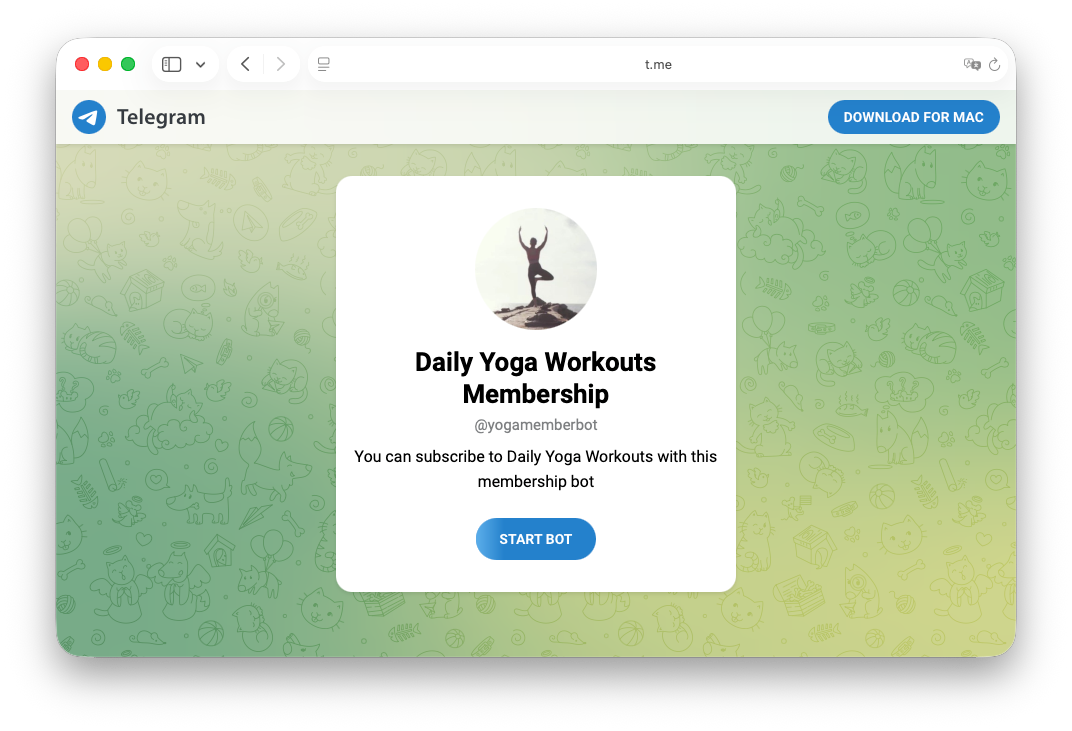
Share this when a person should start with the bot's normal menu, ask for help, or choose from several options. A first-time visitor selects Start before the bot begins its flow. Someone who has already started the bot returns to the chat.
Put a normal bot link next to a clear promise. For example, say that the membership bot shows the available plans or that the support bot answers account questions. The reader should know what will open before they tap.
Start links open one named bot action
A start link opens the same bot with a short value that tells a custom bot which action to run. For example:
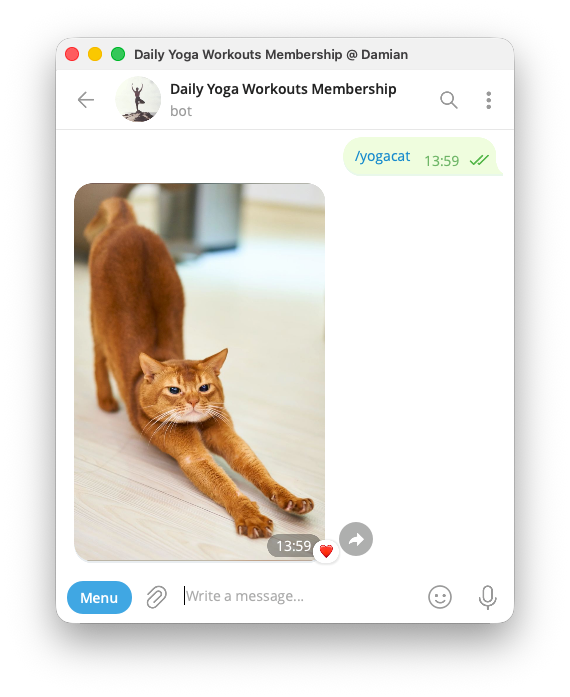
https://t.me/yogamemberbot?start=yogacat
When the person selects Start, the bot receives /yogacat and can show the related flow. A custom bot can use this for a help topic, an event route, or another named action.
The value is for the bot, not a message that the visitor reads. Keep it short. Never place a password, payment information, bot token, or private customer data in a link that can be copied.
Most community owners do not need to build start links by hand. Use a link produced by the bot platform when it already opens the plan, code, or action you need.
Share the membership route for a paid group or channel
Each paid InviteMember group or channel is a private resource. Do not share the resource's Telegram invite link. Share a membership page, membership bot, or plan link instead. A customer opens one of these routes, chooses or activates the plan, and then uses the Join button shown by the project for the included resource.
- Membership page: share this on a website, social profile, newsletter, or link-in-bio page. It lets a visitor view plans and start the membership process.
- Membership bot: share this inside Telegram when the bot is the best place to begin the conversation and show available options.
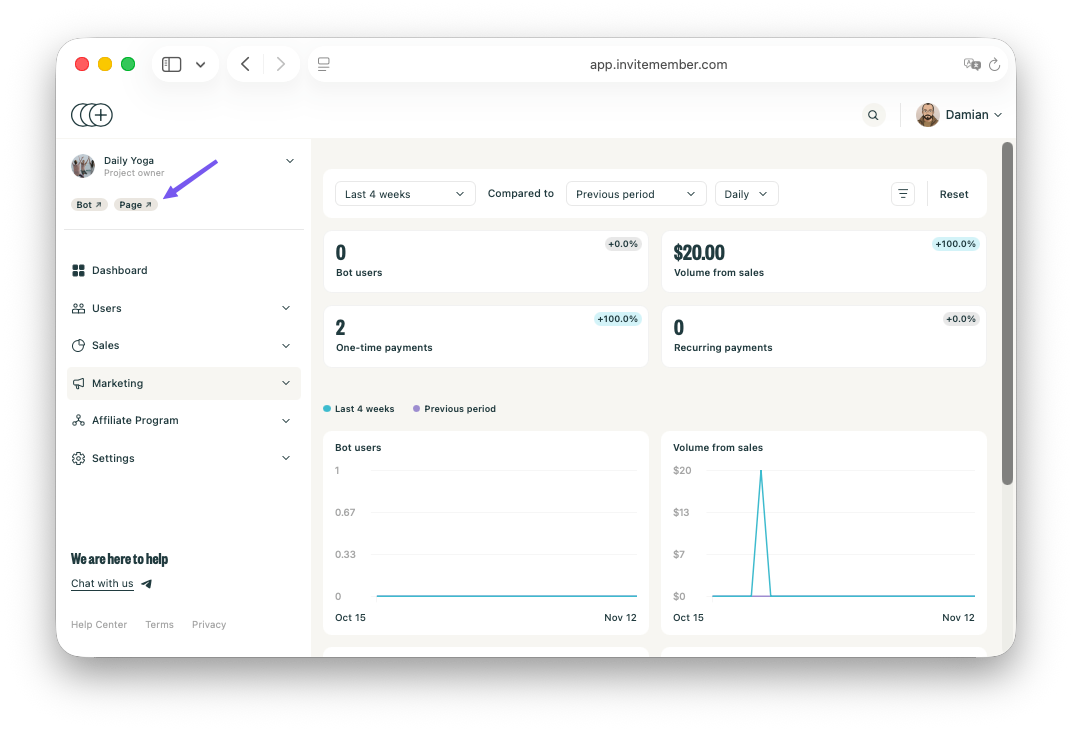
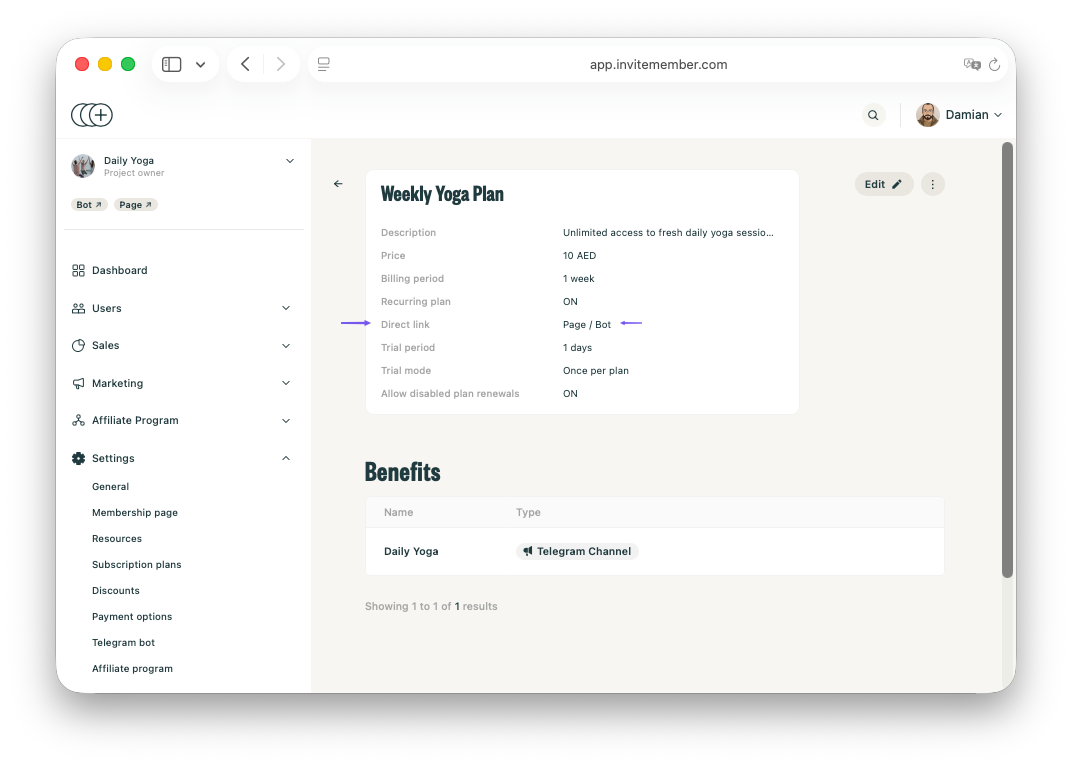
- Direct plan link: share this when one post, campaign, or message is about one specific plan. In the project Dashboard, open Settings > Subscription plans, select the plan, then use Direct link Bot or Page.
The plan link leads to the selected membership offer. Payment or access-code activation determines whether the person receives access to the included resource. When you still need to create the project itself, start a new InviteMember project, then connect the bot and resources before you promote a link.
Access-code and affiliate links fit more selective situations. Use an access-code link for a gift, a private promotion, or an offline-payment route that you have already set up. Use an affiliate link when a partner needs referral credit. Set the customer restrictions for these routes with special plans and promotions.
Keep a broad Telegram link separate from a bot link
A bot link is only one kind of Telegram link. A public group or channel URL, a private invite link, and a message link all open different places. When you need the wider choices or a QR code for a normal Telegram link, see How to Share Telegram Links.
For a paid InviteMember resource, do not substitute one of those native resource links for the membership page, membership bot, or plan link. The project needs to control who reaches the resource and when.
Test the exact link you plan to publish
- Open the link from a second Telegram account that has not started the bot. Confirm that the bot, plan, or page you expected is the one that opens.
- For a direct plan link, check the plan name, price, and included resources. Then complete a test membership flow and confirm that the post-payment screen shows the right Join button.
- For an access code, use a code created only for the test and revoke it as soon as the test ends. A paid code can count as a sale.
- For a group or channel bot setup link, test with an owner account in a test space. Confirm the bot asks for the permissions you expect.
FAQ
What is a Telegram bot link?
It is a t.me link that opens a bot chat. It can be a normal link to the bot or a deeper link that asks the bot to open one named action.
What is the difference between a normal bot link and a start link?
A normal bot link opens the bot's usual flow. A start link adds a short value after start= so a custom bot can choose a particular flow after the person selects Start.
Is a Telegram bot link the same as an invite link?
No. A bot link opens a bot. An invite link is for entering or requesting access to a private group or channel. Each has a different job.
Which link should I share for a paid Telegram community?
Share the InviteMember membership page, membership bot, or the selected plan's Direct link Bot or Page. The customer then completes the membership flow and receives access through the project.
Use the shortest route that completes the next step
Use a normal bot link when the visitor needs a simple place to begin. Use a start link when a custom bot needs one clear action. Use a group or channel setup link only when an owner is adding a bot to a space they manage.
For a paid Telegram community, the membership page, membership bot, or direct plan link is the route that keeps the payment and access process together.

