

The same Telegram membership offer does not suit every person. A new visitor needs a simple first step. A current member may need a reason to choose a higher plan. A past member needs a reason to come back. A partner may need private access that nobody else can see.
That does not mean every group needs a discount. A useful offer gives one group a clear next step. It can change the price, the access, the plan period, or who can use it. It says what they receive, what it costs, how long it lasts, and why it is meant for them.
Start with the person, not the discount
Choose the offer from the person's relationship with your membership.
| Person | Useful next offer | What the message should make clear |
|---|---|---|
| A person who has never paid | A simple first membership plan or a free trial | What they will receive and how to start |
| A current member | A higher plan, extra resource, or a different paid period | What is new compared with their current access |
| A past member | A return plan or a short reactivation offer | What has changed or why it is worth returning now |
| A partner, giveaway winner, or selected group | A private gift or campaign offer | Who can use it, how to activate it, and when it ends |
Do not send an upgrade plan with the same benefits as a member's current plan. Give the person a reason: a new resource, a better fit, a fixed event, or a clear saving for a limited period.
Make every offer easy to understand
Before you share an offer, write five answers in plain words:
- Who is it for?
- What access will they receive?
- What will they pay?
- How long does access last or renew?
- What should they do next?
Put the broad promise in the project description and the plan-specific details in the plan description. For example, say which private resources are included, what the plan costs, and who it suits.
Set up the right offer in InviteMember
InviteMember is useful here because it lets you create a plan and decide who can see it. If you are starting from scratch, create a project, connect your Telegram resources, and make the membership plan.
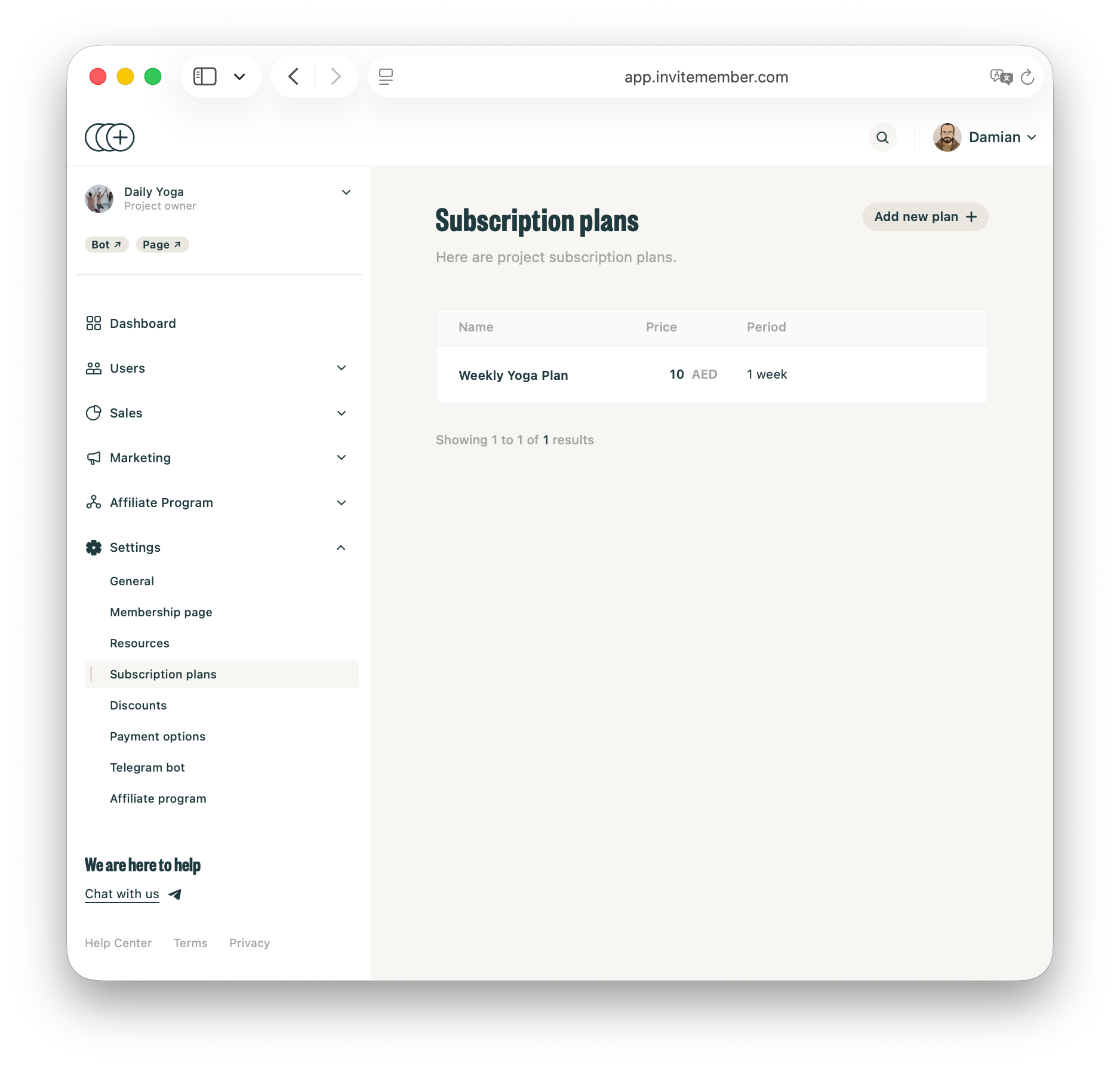
In Settings > Subscription Plans, give the plan a clear name, price, and billing period. Add the Telegram channels, Telegram groups, Discord roles, or manual benefits that belong to it. Copy the plan's direct Bot or Page link when you are ready to share it.
Make a separate plan for a meaningfully different offer. If you need a different price, currency, or billing period, duplicate the existing plan first, then change the copy.
Choose the availability rule carefully
The plan's advanced settings decide who can use the offer. These labels matter:
- Newcomers only is for people making their first payment in your project. Use it for a real first offer, not for someone who paid for another plan before.
- Customers only is for people who have paid before. It includes current customers and past customers who churned. It does not mean active customers only, and it does not include people who are only on a trial.
- Churned only is for people who paid before but are no longer active. Use it for a genuine return offer that you do not want current members to use.
- Access Code only keeps a plan out of normal view and makes it available through an access code. Use it for a partner, gift, giveaway, offline payment, or selected campaign.
If an upgrade plan should be promoted to current members, send its link in a manual broadcast to Active customers. The Customers only plan rule still allows eligible past customers who find it. When the plan must be for past customers and nobody else, use Churned only.
Choose the discount route when price is the offer
Use a discount when a lower price is the real reason for the offer. Do not add one to an unclear plan and expect it to do the explanation for you.
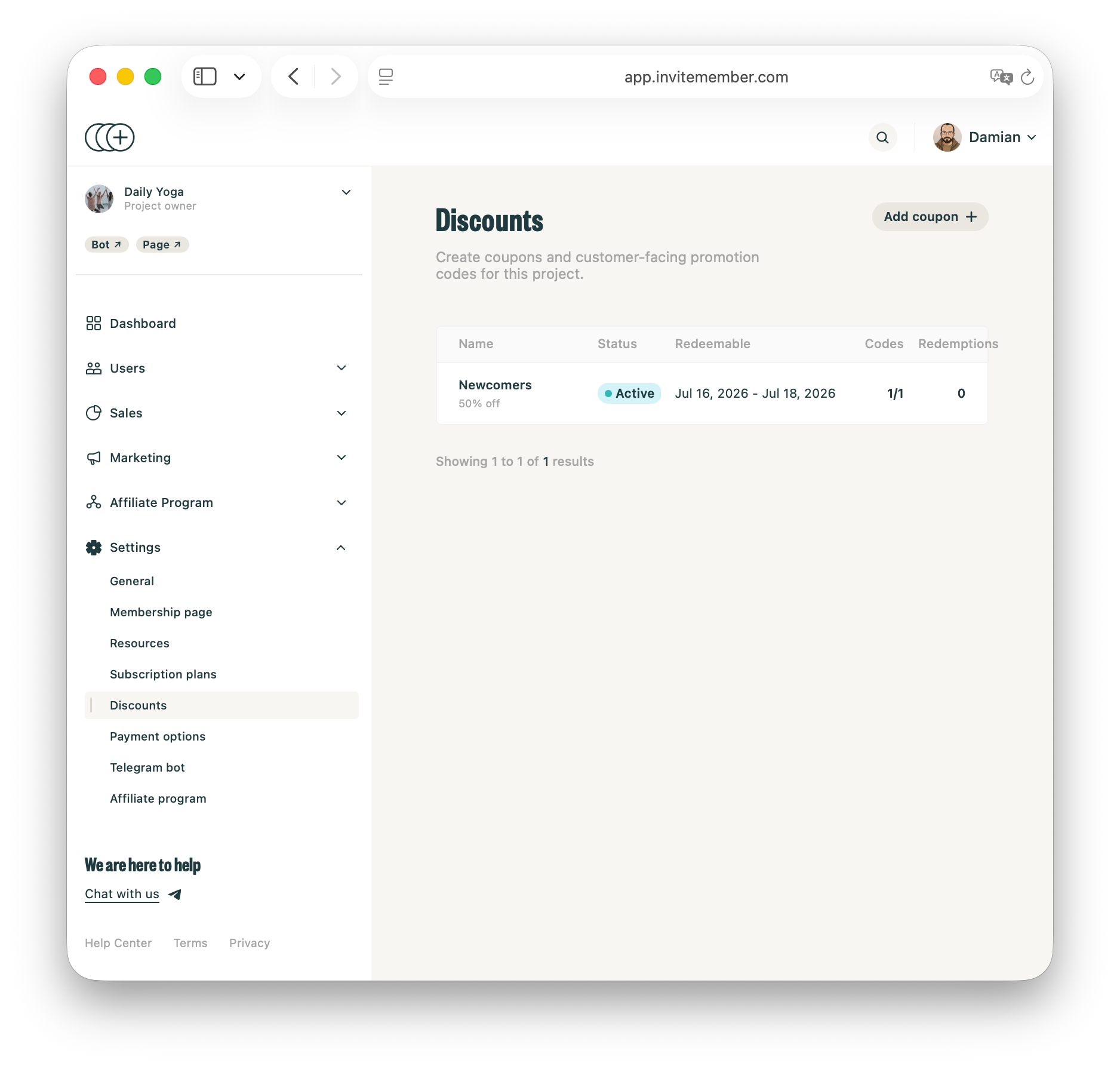
InviteMember has built-in discounts for coupon-style percent-off or fixed-amount offers on selected plans.
Stripe has a separate route for card payments. First enable Coupons in Settings > Payment options > Stripe Live. Then create a coupon and a customer-facing promotion code in Stripe. The coupon defines the discount. The promotion code is what the customer types at checkout.
Stripe promotion codes are useful when you need Stripe rules such as first-time orders, a specific customer, a redemption limit, or an expiry date. Share the promotion code, not the Stripe coupon name or ID. Test the code with the exact plan and Stripe checkout before you send it.
Use an access code instead when the offer is free or gives a fixed access period rather than a lower checkout price. It activates a plan without an automated payment-gateway charge.
Share the offer with the right group
A plan link tells a person where to go. A broadcast tells the right people why they should go there.
InviteMember broadcasts are manual. You can send one to Leads, Active customers, Past customers, or a custom list of people. They work only for people who started your membership bot and have not blocked it.
Match the message to the plan:
- For leads, explain the first benefit and link to the first plan.
- For active customers, explain the difference between their current access and the next plan. Do not make the message sound like their current plan is disappearing.
- For past customers, say what is new, returning, or time-limited. A built-in discount or Stripe promotion code can support that offer when price is the real obstacle.
- For a selected group, send the access code or its activation link privately, with the access period and activation deadline.
Keep the message short. One offer, one reason, and one link are enough. Add a project or plan description that answers the questions people may have after they tap the link.
Keep related offers separate
A return offer is for someone who is no longer active. It is not failed-payment recovery: use the payment processor's recovery settings for an unresolved renewal, then use a Churned only plan only after the old membership ends. For more detail, see the dunning-management guide.
Use a free trial when a possible customer needs time to assess the membership. Do not use one to make an unclear offer seem clearer.
Test before you send the link
Use another account to check the offer before sharing it:
- the plan appears to the intended person;
- it does not appear to someone who should not use it;
- the link opens the right plan;
- the correct Telegram channels, groups, Discord roles, or manual benefits are included; and
- the message says the same price, period, and access details as the plan.
Test one broadcast on your own second account first, especially when the offer has an access code or a different plan period.
FAQ
Can I make an offer only for current active customers?
Use a broadcast to Active customers to promote it to that audience. However, Customers only is not an active-only plan rule: it also allows people who paid before and later churned. Use Churned only when the plan must be limited to past customers.
Which discount option should I use?
Use an InviteMember discount for a coupon-style percent-off or fixed-amount offer on selected plans. Use a Stripe promotion code for a Stripe card checkout when you need Stripe's code rules, such as first-time-order, customer, redemption, or expiry limits. Use an access code for a free or fixed-period offer.
Can I create a private plan for a partner campaign?
Yes. Use an Access Code only plan, then share the code or activation link only with that group. State the access period and the code deadline clearly.
What should I show a person who has never paid?
Show one simple first offer. Explain the main benefit, price, and next step. When they need time to assess the offer, consider a free trial instead of adding more plan choices.
Final answer
Good Telegram membership offers are matched to the person who sees them. Give a new user a clear first step, give a current customer a meaningful next option, give a past customer a reason to return, and keep selected-only offers private. Then test the plan and message before you share them.

