

A Telegram bot does not need every admin permission. Some bots only answer commands. Others post to a channel, remove spam, or manage access to a private community. Give a bot the permissions for its job, then test that job before you use it with members.
The most important choice is whether the bot needs to be an administrator at all. In a group, that choice also affects what the bot can see.
Start with the bot's job
Decide what you expect the bot to do before opening Telegram's permission screen.
| What the bot does | Does it need admin permissions? | Permissions to enable |
|---|---|---|
| Answers commands or sends a private reply | Usually no | No admin permissions |
| Posts updates in a channel | Yes | Post Messages |
| Helps moderate a group | Yes, if it must take action | Delete Messages, Ban Users, or Restrict Members, as needed |
| Controls entry to a paid group or channel | Yes | The specific member-access permissions requested during connection |
The names can vary a little between Telegram apps. The rule stays simple: do not enable a permission because it might be useful later. Enable it only when the bot needs that action now.
Groups and channels use different permissions
A Telegram group is built for conversation. A bot can join as a normal member and respond to commands without being an administrator. Make it an admin only when it needs to manage messages or members.
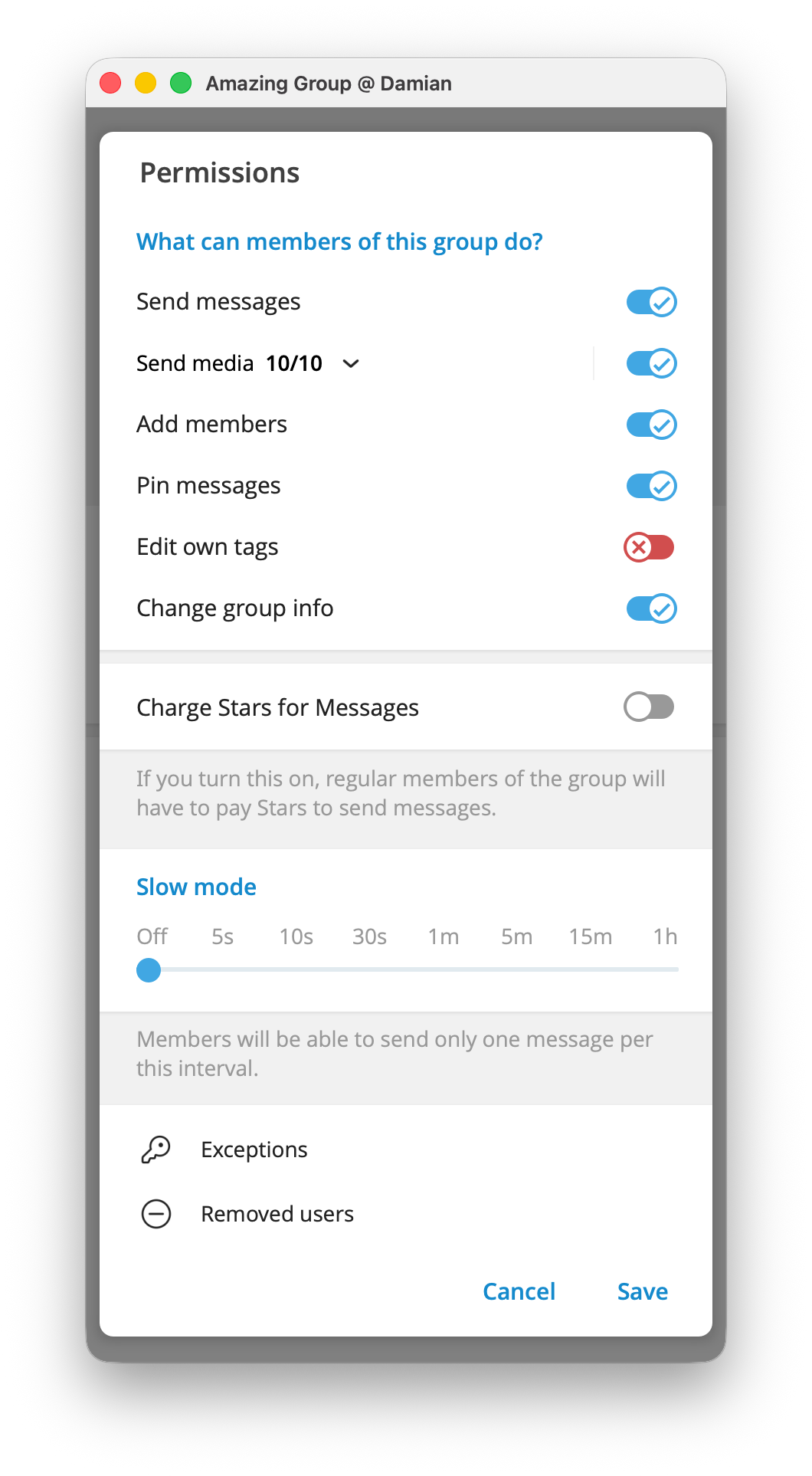
A Telegram channel is built for one-to-many publishing. A bot that must publish there needs permission to post messages. It does not need permission to delete messages, change channel details, or add other administrators just because it posts updates
Open the group or channel information, choose Administrators, then add the exact bot by its @username. Telegram will show the available permissions before you confirm. Check the job against the list above before you press Save.
Understand Privacy Mode before making a group bot an admin
By default, a bot in a group uses Telegram Privacy Mode. It receives messages and commands that are relevant to it, such as its commands, replies to its messages, and group service messages.
An administrator bot is different. Telegram says a bot added as a group administrator receives all group messages. That may be necessary for a moderation bot, but it is a privacy decision as well as a technical one. Make only a trusted bot an admin, and do not give administrator status to a simple command bot that does not need it.
The bot's privacy setting is visible in the group member list. Check it after setup, especially in a group where people discuss private work, support, or personal topics.
Give only the permissions the job needs
Use the smallest useful permission set.
| Purpose | Enable these permissions | Leave unrelated permissions off |
|---|---|---|
| Publish scheduled channel updates | Post Messages | Member management, channel details, and administrator management |
| Remove spam in a group | Delete Messages and, only when needed, Ban Users or Restrict Members | Posting as the group, adding administrators, and changing group details |
| Let a membership system control a paid group | The permission to add and remove users requested by that system | Posting, moderation, and group-management permissions it does not need |
| Let a membership system control a paid channel | The permission to add and ban users requested by that system | Posting, channel editing, and administrator-management permissions it does not need |
Review the administrator list from time to time. Remove a bot when the project ends or when you replace the service that runs it.
Set up private paid access
For a paid community, the access job is clear: give members entry after payment and remove entry when their access ends. You still need to choose the private group or channel, the plan, and what members receive. The bot permissions are only the part that lets the system manage entry.
InviteMember provides this setup path for Telegram groups and channels. In your project, go to Settings > Resources, click Add new, and select the Telegram resource you want to connect. Telegram asks you to add InviteMember as an administrator during the connection.
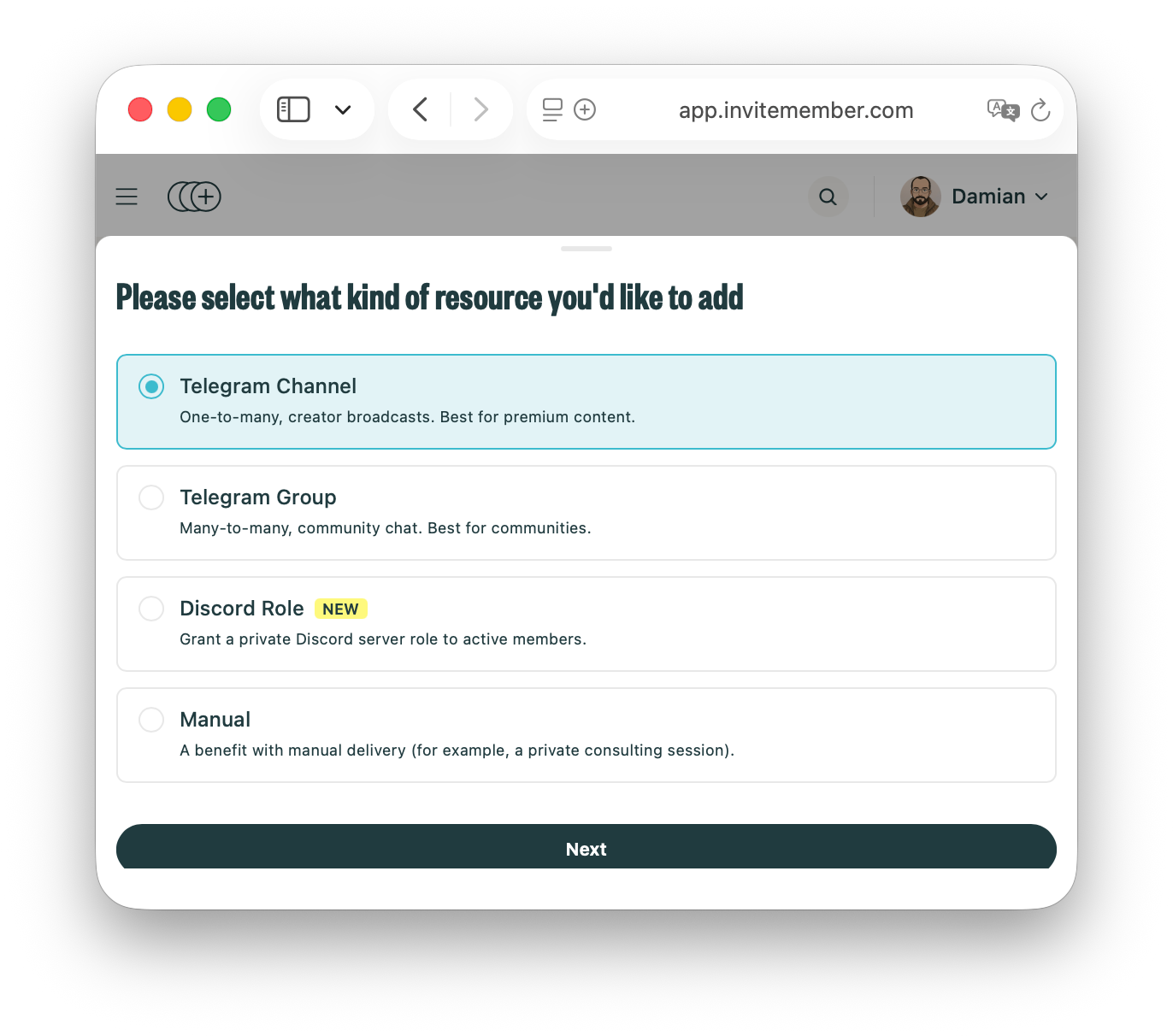
For a private group, InviteMember asks for permission to add and remove users. For a private channel, it asks for permission to add and ban users. Accept the requested access, return to the dashboard, and add the resource as a benefit in the relevant subscription plan. Do not add unrelated permissions just to make the connection look more complete.
Use a separate test account before launch. Check that a completed payment shows the correct join button, the button opens the intended private resource, and the account cannot enter resources outside its plan. The paid Telegram or Discord community guide covers the wider project and plan setup.
Check these details before you trust a bot
- Confirm the bot's exact
@usernamebefore adding it. Similar names can be misleading. - Check who runs the bot and whether you trust them with the group data an administrator can receive.
- Keep the bot token from BotFather private. Do not send it in a public group or store it in a public document.
- Review every enabled permission after Telegram returns you to the group or channel.
- Test one real action: a command, a channel post, a moderation action, or a member joining and leaving.
FAQ
Does a Telegram bot need to be an admin?
No. A bot that only answers commands can usually stay a normal group member. Make it an administrator only when it must post to a channel, manage messages or members, or perform another administrator action.
Can an admin bot read group messages?
Yes. Telegram says a bot made a group administrator receives all group messages. Treat administrator status as a privacy decision, not just a way to unlock buttons.
What permissions does InviteMember need for paid Telegram access?
InviteMember asks for permission to add and remove users in a Telegram group. For a Telegram channel, it asks for permission to add and ban users. These permissions let it manage access for the plan connected to that resource.
Final answer
Match a bot's permissions to one clear job. Keep unnecessary permissions off, understand the group privacy change before assigning administrator status, and test the exact action the bot must perform.

