
Dunning management is the process used after a recurring payment fails to recover the payment before it becomes involuntary churn. It combines payment retries, customer communication, a clear recovery route, consistent access rules, and measurement.
A retry setting or grace period is only one part of that process. Prevention happens before dunning starts, while a special offer after cancellation is win-back. Keeping those stages separate makes the system easier to run and measure.
What belongs in a dunning process?
| Stage | Main question |
|---|---|
| Detection | Which recurring payment failed, and does the member need to act? |
| Automatic recovery | Can the provider retry without member action? |
| Communication | What does the member need to know, and where can they resolve it? |
| Access | Does access continue during recovery, and when should it end? |
| Resolution | Was the payment recovered, or did the subscription end? |
| Measurement | How much failed revenue was recovered, and by which route? |
Prepare the recovery path before a payment fails
Clear project and plan descriptions, together with a general broadcast to Leads, can explain renewal terms before payment. In InviteMember, use descriptions to state billing period, benefits, and the next step after a payment problem. They are static; they do not detect a failure or send a personal warning.
Test this before launch: a failed initial InviteMember checkout requires the customer to return and try again. Stripe Smart Retries apply only after a recurring subscription exists; they handle renewal invoices, not checkout.
Detect who needs action
For a failed renewal, start with the provider. Processors show failed charges, status, and whether another retry is possible. Stripe and PayPal are the recurring processors here. Temporary declines may recover; hard declines and missing payment methods need customer action.
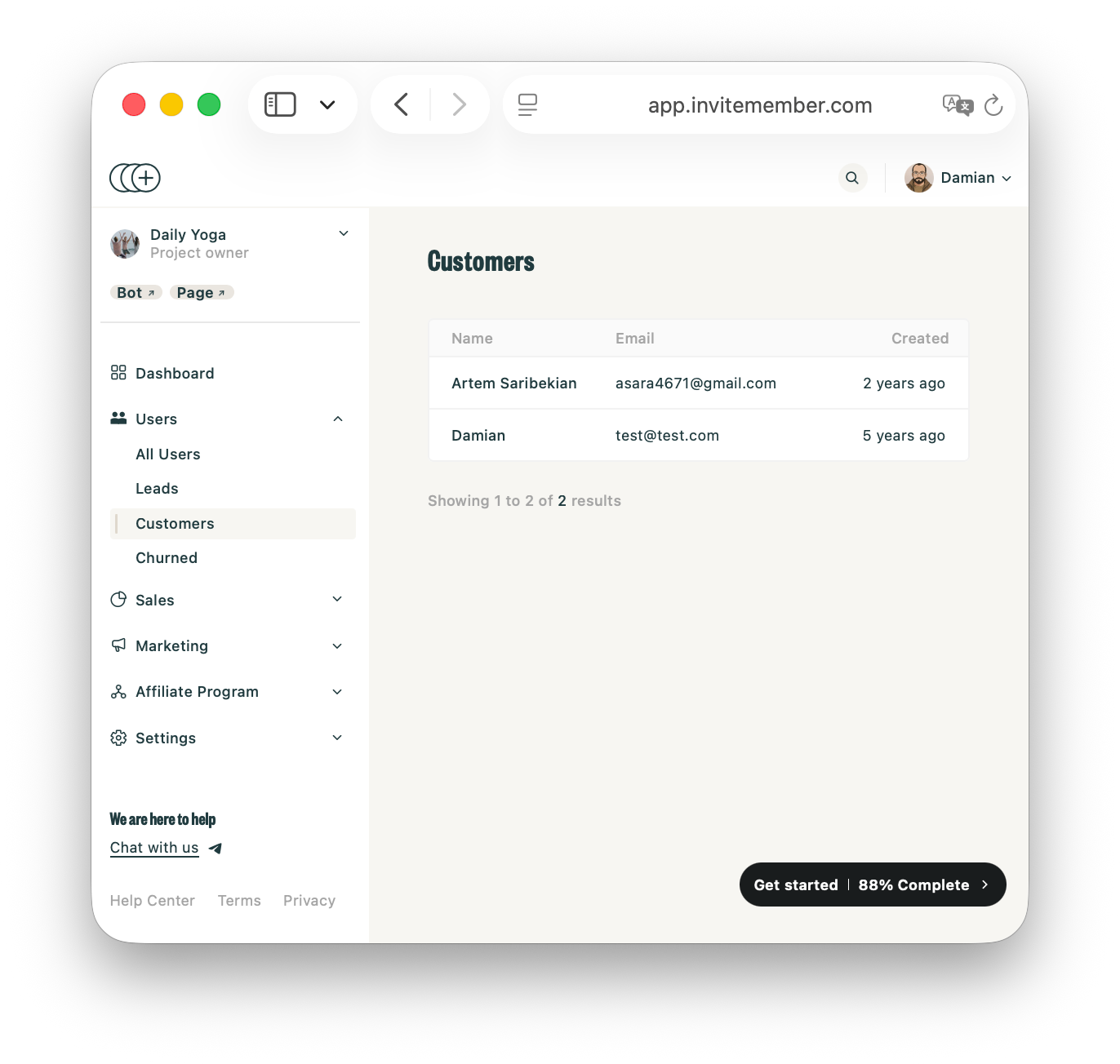
Then open the InviteMember Dashboard and go to Users. Search for the member or open the relevant user segment, then check their information to contat them through email or Telegram.
These segments describe InviteMember relationships, not payment failures. A Lead has no completed payment; use it for acquisition or prevention. A Customer has an active payment or recurring subscription, including grace-period members. A Churned user paid in the past but has no active payment or subscription now, so use that segment for win-back after recovery and access end.
Let the payment provider handle automatic recovery
For recurring Stripe renewals, open Billing > Revenue recovery > Retries. Use Smart Retries or a custom schedule. They do not recover a failed initial checkout. A hard decline or missing payment method cannot be solved by repeating the same charge.
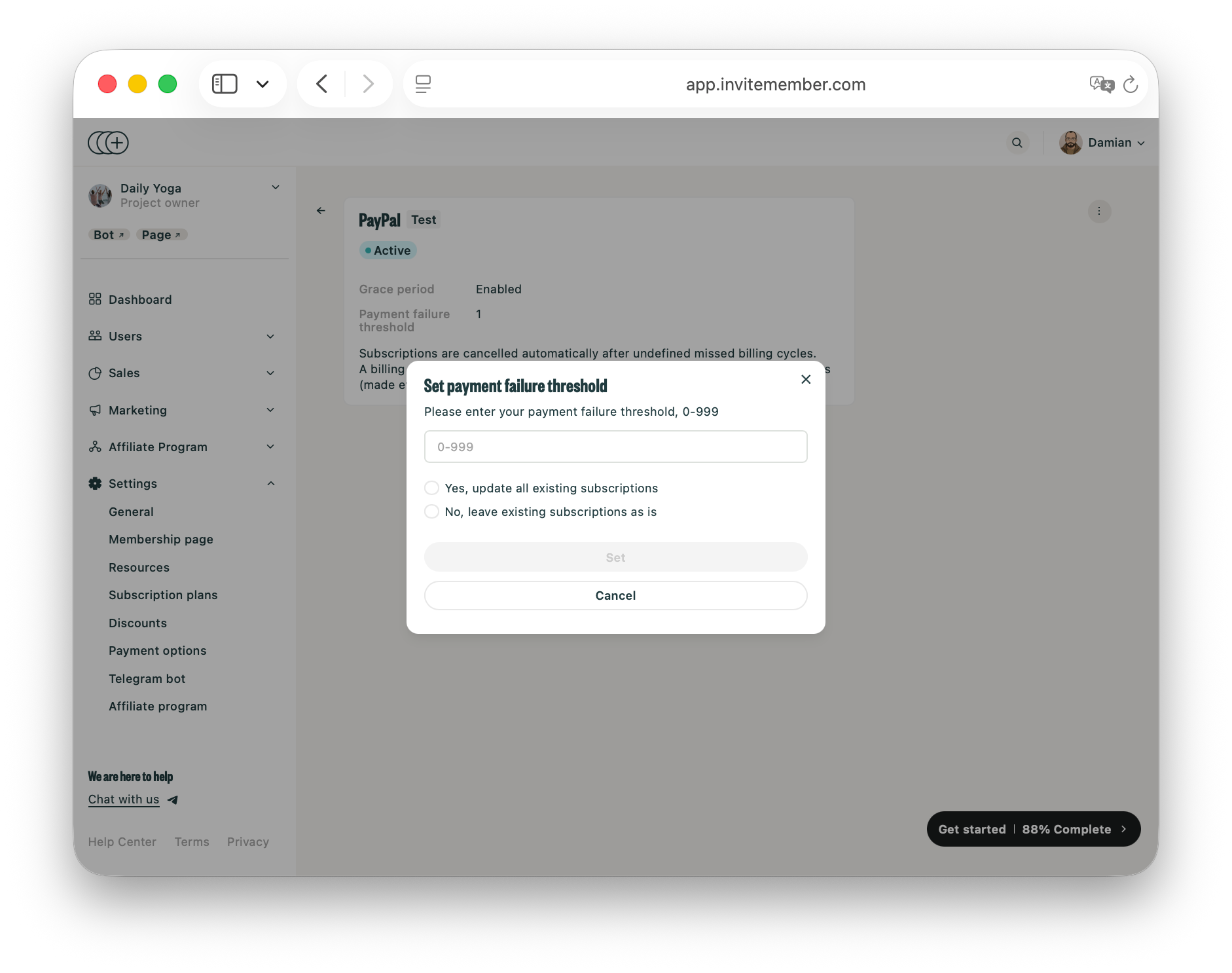
For PayPal subscriptions managed with InviteMember, open Settings > Payment options > PayPal Live > Grace Period settings. Set the grace-period length, retry count, and missed-payment threshold. PayPal makes the recovery attempts, while InviteMember keeps access aligned with the result.
Add targeted Telegram communication
Automatic retries do not guarantee that the member understands what happened. A useful message names the plan, gives the provider route, and explains access.
InviteMember broadcasts provide a Telegram communication layer. Send /broadcast or /b, choose Custom, and provide affected Telegram user IDs from the Dashboard. The /status and /plans commands become clickable inside the broadcast.
Do not send a personal payment-failure warning to the Active customers segment. Use that segment only for general billing notices. Use Custom to create a broadcast recipient list from affected Telegram user IDs, then send the message to it.
A renewal message can say:
We could not confirm the latest renewal for [plan]. Stripe or PayPal will handle the configured recovery attempts. Check /status here for your current membership.
For PayPal, replace the provider sentence with: "PayPal will handle the configured recovery attempts for this subscription. Check /status here for your current membership."
This broadcast is manual. InviteMember does not automatically trigger it after a failed charge, and it reaches only users who launched and have not blocked the bot.
Keep access consistent during recovery
Decide the access rule before the first renewal failure. Immediate removal gives no time to fix a temporary problem; an unlimited grace period has no clear payment outcome.
With an InviteMember PayPal grace period, access can continue while PayPal retries a recurring renewal. If payment succeeds, the subscription continues. If the threshold is reached without payment, the subscription is canceled and paid-resource access is removed. For Stripe recurring renewals, Stripe controls retry and final subscription rules, so test the selected outcome with the connected membership plan.
For other payment options not automating grace periods, /whitelist USER_ID can keep a member in a Telegram channel or group while you resolve a renewal problem. InviteMember does not remove them automatically, so add them to the channel or group manually, then use /unwhitelist USER_ID when access should end. Whitelisting is an access exception, not recovered payment.
Build a separate win-back path after cancellation
Once the subscription is canceled, recovering the old charge and winning the customer back are different goals. Do not count a later discount as active dunning recovery.
InviteMember provides several controlled reactivation options:
- Create a Churned only plan for customers who paid before but have no active payment now.
- Duplicate a plan when the offer needs a different price or billing period. Explain it in the plan description and share its direct Bot or Page link.
- For Stripe checkout, enable coupons in Settings > Payment options > Stripe Live > Coupons, then create the coupon and promotion code in Stripe.
- Use an access code for a limited free extension, gift, or giveaway with activation and expiry limits.
- Broadcast the offer to Past customers, not to leads or every active member.
Choose the offer based on the problem. A technical card failure needs another supported checkout attempt or the provider's renewal recovery process, not a discount. A churned member with a price objection may respond to a lower-cost plan. A valuable long-term member may justify a short access-code extension as goodwill.
Measure recovery and reactivation separately
Track active dunning with provider data:
Dunning recovery rate = recovered failed payment value / total failed payment value
Use the InviteMember Dashboard to compare recurring payments, sales, subscription status, and payment-provider mix. A dedicated churned-only plan or promotion code helps attribute reactivation.
Report win-back separately:
Win-back rate = churned customers who return / churned customers targeted
If only win-back rises, the promotion works but the active dunning process still needs attention.
Final answer
Effective dunning management combines automatic recovery, timely communication, a clear recovery route, consistent access, a clear final state, and honest measurement. Prevention and win-back should not hide whether failed payments were recovered.

