

You can use Telegram without sharing your personal phone number. But creating a new account still requires a number: either a mobile number you control or an official anonymous number from Fragment. If you already have an account, you may be able to log in without SMS. If you only want privacy, you can change who can see your number.
Choose the situation that fits you:
| Your goal | Best approach |
|---|---|
| Create an account without your personal SIM | Use a separate mobile number or an anonymous number from Fragment |
| Log in without receiving SMS | Use an active Telegram session, an existing passkey, or desktop QR login |
| Keep your number hidden from other people | Change Settings > Privacy and Security > Phone Number |
| Recover an account after losing your SIM | Check signed-in devices, then contact your mobile provider |
Can you use Telegram without a phone number?
You can use Telegram without your own SIM card, but a new account still needs a phone-number identifier. Most people register with a mobile number. Telegram also accepts special anonymous numbers from Fragment, a blockchain-based marketplace.
That is different from hiding your number. You can register with a normal mobile number while keeping it off your public profile. Another option is to log in without SMS, if you already have an account and a supported login method.
How to create a Telegram account without your personal SIM
Option 1: Use an anonymous number from Fragment
Telegram supports no-SIM registration using purchased anonymous numbers. These are not normal numbers for calls and texts.
- Open Fragment's anonymous-number marketplace. Review prices, available numbers, wallet requirements, and the current ownership rules.
- Get a number you will keep. Protect the wallet that owns it, including the wallet's recovery details.
- Open the Telegram registration screen. Enter the anonymous number when Telegram asks for the number linked to your new account.
- Complete the authorization process. Follow the current instructions in Telegram and Fragment. When registration succeeds, your Telegram profile opens.
Fragment numbers are not free. The screens and payment steps may change, so avoid old tutorials that promise a “skip number” button.
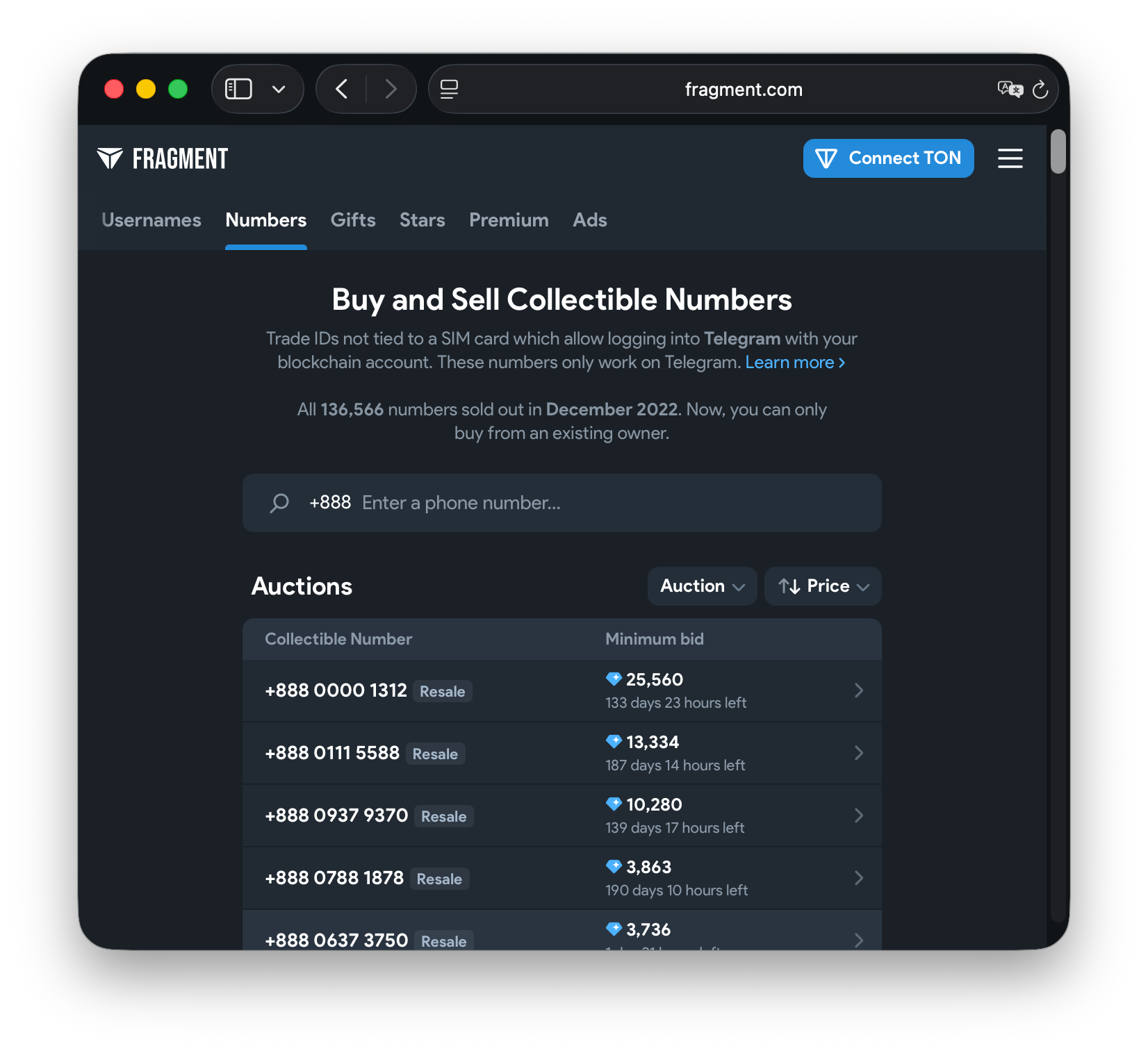
Using a number that is not tied to your personal SIM gives you more privacy, but it does not make everything you say or share anonymous.
Option 2: Use a second mobile number
A separate SIM or eSIM can keep your main number out of Telegram registration.
- Activate the second number and check that it can receive the required verification.
- Start registration in Telegram, enter that number with its country code, and follow the instructions.
- Complete verification and profile setup. Keep control of the number for future account access.
A data-only eSIM gives you internet access, but it may not include a phone number that Telegram accepts.
Avoid disposable SMS websites and shared numbers. Some virtual numbers fail verification. Others are reassigned, so someone else may receive future login messages. A number you control long term is the safer choice.
How to log in to Telegram without an SMS code
Already have an account? You may be able to sign in without receiving a new text message. Your options depend on what you can still access.
Get a code on another signed-in device
- Open Telegram on your new phone or computer and enter your registered number.
- Check Telegram on another device where you are still signed in. If the code is sent in the app, it appears in the verified Telegram chat.
- Enter the code on the new device, along with your Two-Step Verification password if requested.
- Check the result. Once signed in, your cloud chats appear.
Never give your login code to another person, even someone claiming to be from Telegram support.
Use a passkey
A passkey lets you sign in with a device PIN, fingerprint, or face scan instead of SMS. You need to set it up while you are signed in:
- Open Telegram > Settings > Privacy and Security > Passkeys.
- Choose the option to create a passkey and approve it on your device.
- Check that the passkey appears in the list.
When you log in again, choose the passkey option if available, then confirm using your device's PIN or biometrics. If you have a Two-Step Verification password, you may still need it.
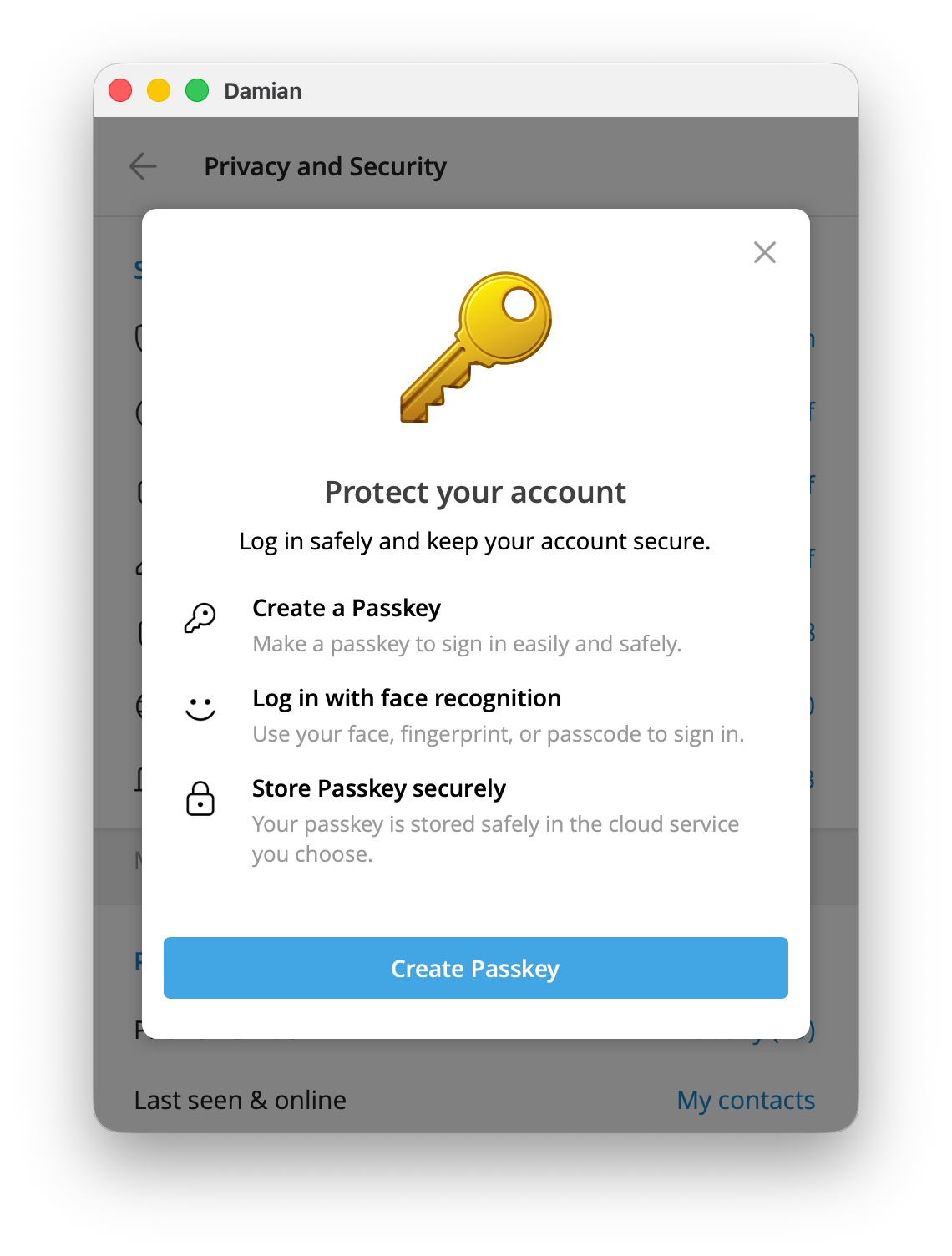
A passkey helps you enter an existing account. It does not let you create an account without a registered number. Keep that number current.
Log in to desktop or web with a QR code
If Telegram still works on your phone:
- Open Telegram Desktop or Telegram Web and choose Log in using QR code.
- On your signed-in phone, go to Settings > Devices.
- Choose Link Desktop Device or Add Device, depending on your app version, and scan the QR code shown on the computer.
- Check the computer. Your Telegram session opens with your chats.
QR login needs an existing signed-in phone session. If you are changing devices, see how to transfer Telegram to a new device.
How to hide your phone number in Telegram
If you want to chat without showing your mobile number, changing your privacy settings may be enough.
- Open Telegram > Settings.
- Select Privacy and Security > Phone Number.
- Under Who can see my phone number?, choose Nobody for the strongest general restriction.
- Check Who can find me by my number? and any listed exceptions. Choose the privacy level you want.
- Save if prompted. Your selected rules appear on the Phone Number screen.
This does not remove your number from someone else's address book. People who already know and saved it may still recognize your account.
For a complete walkthrough, see how to hide your phone number in Telegram.
Use a username so others can contact you
In your profile settings, find Username, choose an available username, and save it. Other users can find you or start a chat using that name without knowing your phone number.
Usernames are public, so people may also discover you through Telegram search. See how to add people on Telegram for other ways to connect.
What if you lose access to the registered number?
Still logged in somewhere? Stay signed in. In Settings, tap your account number and choose Change Number if you have a replacement number you control. Complete the confirmation steps. Then check Settings > Devices for sessions you do not recognize.
Have an existing passkey? Try it if Telegram offers passkey login. Once you regain access, update your security settings and keep a current registered number.
No phone number, passkey, or active session? Contact your mobile provider to request a replacement SIM with the old number. Telegram cannot guarantee recovery based only on a username or email address.
A recovery email can help reset a forgotten Two-Step Verification password. It does not replace your account's registered number.
Protect your privacy in groups and channels
Before you join a community, review these settings:
- Phone Number: limit visibility and check exceptions.
- Two-Step Verification: add an extra password and recovery email where available.
- Passkeys: create one while you are signed in.
- Devices: remove sessions that you do not recognize.
- Username: share it with new contacts instead of your personal number.
If you want to share updates with an audience, create a Telegram channel. Channel posts appear under the channel's name instead of your personal chat identity.
If you want to charge for access, use a private Telegram channel or group. With InviteMember, customers subscribe through a membership page or membership bot and then receive access to the private resource. Find the page under Settings > Membership page, where InviteMember shows your im.page address. The optional bot is under Settings > Telegram Bot, with its telegram.me address. See how to create a paid Telegram channel for the full process.
Frequently asked questions
Can I register using only an email address?
No. A new Telegram account still needs an accepted number identifier. Email may help with some login or password recovery tasks, but it does not replace initial registration.
Can I use Telegram without a SIM card?
Yes. An official Fragment anonymous number can be used to register without a SIM. An existing account can also work on a device without a SIM after login.
Can I sign up using a free virtual number?
It may be rejected, and shared or recycled numbers are risky. Prefer a number you can control long term.
Does a passkey mean I no longer need a phone number?
No. It can replace SMS when logging in to an existing account, but Telegram recommends keeping your registered number current.
Can strangers see my number?
Not just because you message them or share a group. Check Settings > Privacy and Security > Phone Number. Anyone who already has your number saved may still know it.
Can I recover an account without my old number?
Only if you still have another supported way to sign in or can restore the old number. Without an active session, passkey, or number access, recovery may be impossible.
Start with the simplest solution: if your account already works, check the number-visibility setting. If you need a new account without your personal SIM, choose a number you can keep under your control.

