
A recurring payment is an automatic charge made on a set schedule after a customer agrees to a subscription. For a paid community, it fits when the member keeps receiving useful access or benefits each billing period.
The first checkout starts the subscription; later charges renew it.
How a recurring payment works
| Stage | What happens | What the member needs to know |
|---|---|---|
| First checkout | The customer chooses a plan and completes the first payment. | Price, billing period, included benefits, and how to cancel. |
| Subscription starts | After the first payment succeeds, future renewals can be attempted on the agreed schedule when the payment method supports recurring billing. | The next renewal date and what access continues. |
| Renewal succeeds | The next payment is collected and the membership continues. | Their access and benefits continue under the plan's terms. |
| Member cancels | Future automatic charges stop. | How to cancel and when their current access ends. |
| Renewal fails | The provider may retry or apply a grace period before cancellation. | What to do if they need to keep their access. |
A failed first checkout is different. The person has not started a recurring subscription yet, so they need to complete checkout again. Retries for a failed recurring renewal happen only after a subscription already exists.
Use recurring payments only for continuing value
Recurring billing suits a private channel with regular reports, a group with ongoing discussion and support, or a Discord role that unlocks new member benefits each month. The member needs a clear reason to renew.
It does not suit a workshop, a short cohort, a weekend event, or a fixed pass that ends on a stated date. Those offers need a one-time payment and a clear end date. The temporary community access guide explains that path.
If the offer itself is still unclear, first decide whether it is a membership or a subscription. That choice defines what the person receives; the recurring payment is simply the way it renews.
Show the terms before the first payment
Before somebody starts a recurring plan, make four details easy to see:
- the amount and currency;
- the billing period, such as monthly or yearly;
- the benefits that continue each period;
- the cancellation route.
For example, a plan can say: "Monthly membership with a private Telegram channel, weekly market notes, and one live question session each month." This tells the buyer what continues and why the charge will repeat.
Keep that information on the membership page and in the plan description. A person should not need to message you to find out what renews or how to stop it.
Set up a recurring community plan in InviteMember
In your InviteMember project dashborad, open Settings > Subscription Plans and select Add New Plan +. Set the plan name, price, currency, billing period, included resources, and access rules. A plan can include Telegram channels, Telegram groups, Discord roles, and manual benefits.
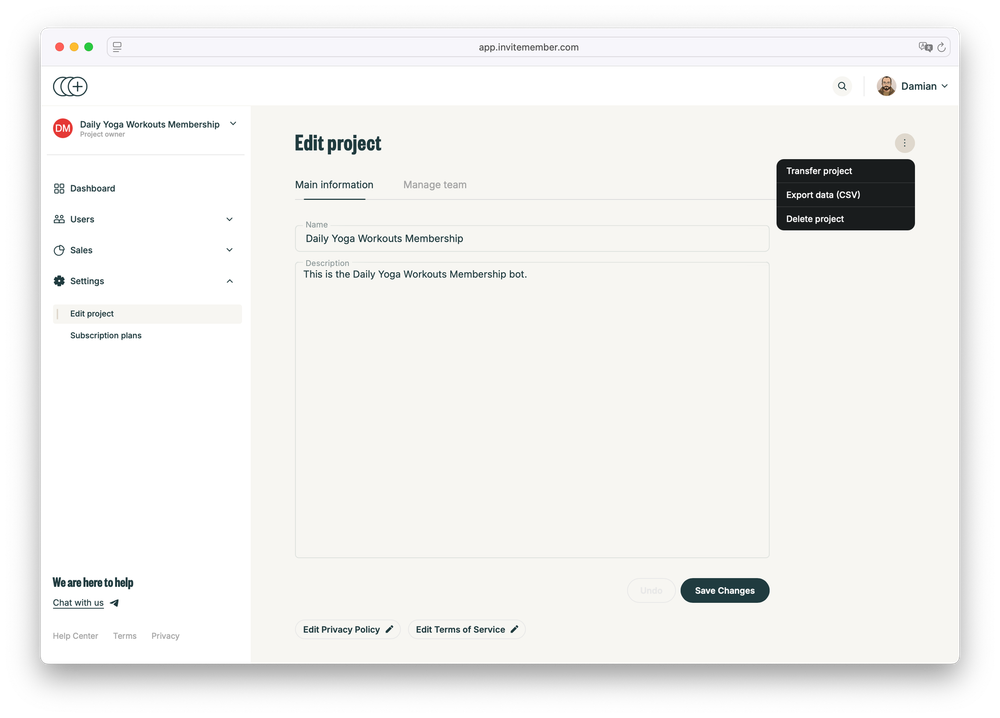
Turn Recurring on only for a plan that should renew. InviteMember creates recurring subscriptions through Stripe Billing and PayPal Subscriptions when those payment options are connected. If a payment integration does not support recurring billing, the plan creates a single charge instead. With Recurring off, it also creates a single charge.
This is a payment-method boundary, not a reason to change the offer. Keep the plan description honest about the payment route the member can use.
Use a separate plan when you need a different price, currency, or billing period. Those fields cannot be changed on an existing plan. Duplicate the plan, change the new version, and decide whether existing members can renew the old one.
Test the first payment and the access
Before sharing the plan, use another account to test the full first-payment flow. Check that the plan appears in the right place, the payment option opens, the payment succeeds, and the member receives every promised resource.
For Stripe, connect Test mode and use Stripe's test-card flow. For PayPal, use Sandbox credentials and a personal buyer account. InviteMember's project-testing guide has the current steps.
Also test the plan description, join buttons, and Discord permissions. A successful payment is not enough if the buyer cannot enter the channel, group, or role you sold.
What happens after the subscription starts
Members can cancel from the subscription bot or from the account area on the membership page. Give them that route before they ask. The cancellation guide explains the exact options and what happens when a subscription is canceled in a payment-provider dashboard.
When a future recurring payment fails, do not treat it like a failed first checkout. Stripe manages retry rules with Smart Retries in Stripe. For PayPal, you can set the grace-period length and retries in InviteMember. The failed-payment recovery guide covers the customer communication and access decisions after that point.
Keep the payment integration connected while subscriptions are active. InviteMember needs provider status updates to keep access aligned with a cancellation or payment result.
Common mistakes
- Turning on Recurring and assuming every payment method can renew automatically.
- Calling a failed first checkout a failed renewal.
- Using a recurring plan for an event or program with a fixed end date.
- Turning on Single-use to set a time limit. Single-use prevents another purchase of the same plan and turns Recurring off; the plan period decides duration.
- Changing a plan price or billing period without creating a new plan version.
FAQ
Which InviteMember payment options support recurring subscriptions?
Stripe and PayPal support recurring subscriptions in InviteMember. Stripe uses Stripe Billing and PayPal uses PayPal Subscriptions. A payment option without recurring support creates a one-time charge instead.
Can a member cancel a recurring plan?
Yes. Members can cancel in the subscription bot or in the membership-page account area. Explain the route clearly before they pay.
Does Single-use make a plan renew automatically?
No. It does the opposite: it turns Recurring off and prevents the same person from buying that plan again. The billing period determines how long its access lasts.
Final answer
A recurring payment is an automatic charge for continuing access or benefits. Start with a clear plan, show the terms before checkout, use a payment option that supports renewals, and test the first purchase and access before you invite members.

