

Telegram group search works for public groups. Open Telegram, use the search field, type the topic or group name, and check the global results. Private groups usually do not appear in search, unless you already have access. To join a private group, you normally need a link or a invitation.
Do not treat every Telegram group result as safe. Before joining, check the group name, description, history, member behavior, admin activity, pinned messages, and any links the group asks you to open.
How Telegram group search works
Telegram has a search field in the chat list. You can use it to search your chats, messages, public usernames, public groups, and public channels.
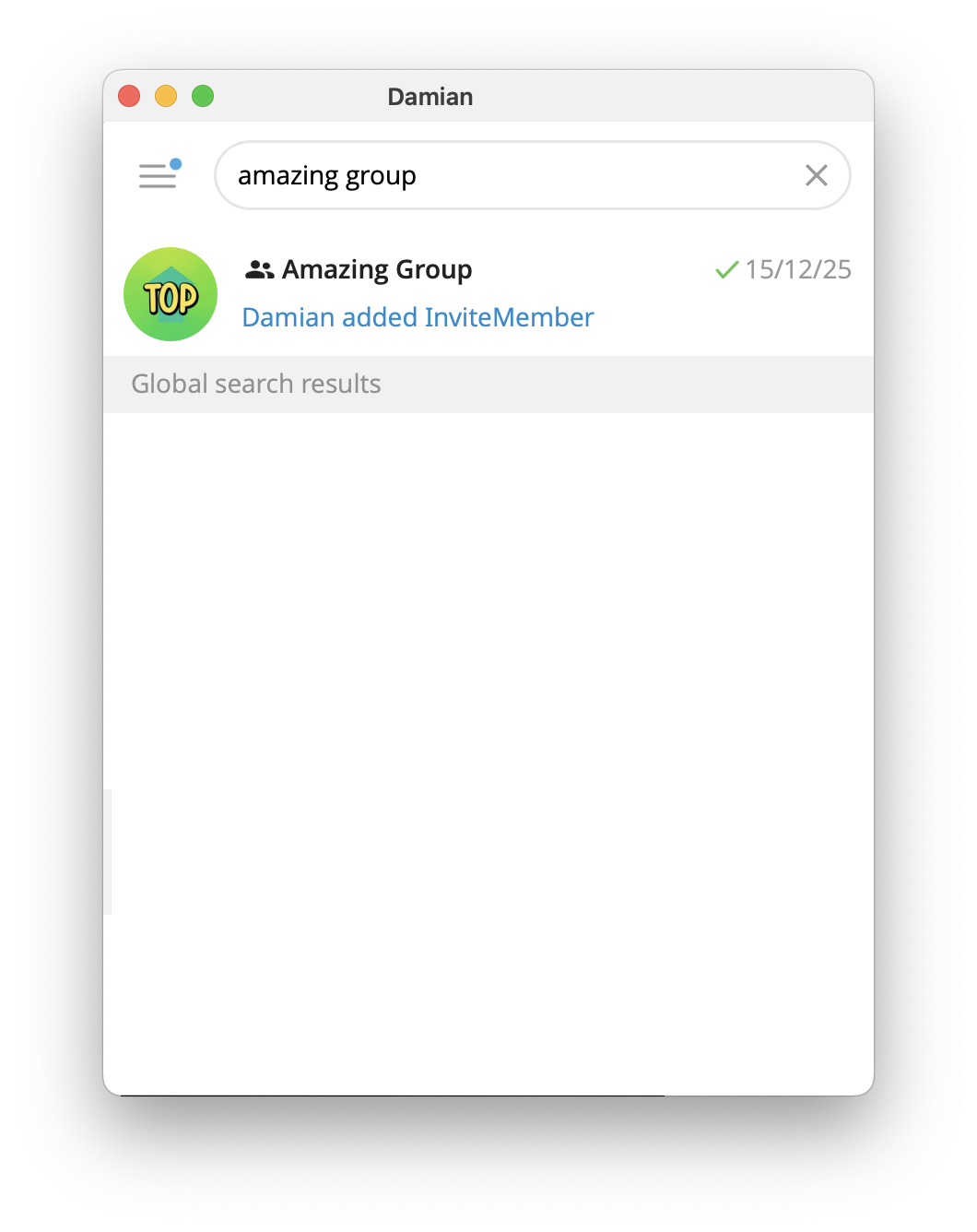
Telegram public groups can have a short t.me link. Anyone can view the group's chat history and join to post messages if the group is public. That is why public groups can be discovered more easily than private groups.
Private groups are different. They are designed for controlled access. If a group is private, it normally requires an invite link or a direct invitation from an admin or member with permission.
How to search for Telegram groups
Use this basic process:
- Open Telegram.
- Tap or click the search field.
- Type a specific topic, brand name, project name, or community name.
- Look for results marked as groups, not channels or individual users.
- Open the result and read the description before joining.
- Check recent messages, pinned posts, rules, and admin activity.
Specific searches usually work better than broad searches. For example, search for a course name, project name, product name, city, language, or niche instead of a single broad word.
Public groups vs private groups
Telegram groups can be public or private.
| Group type | How people join | Search visibility | Best use |
|---|---|---|---|
| Public group | Search or public t.me link |
Can appear in search | Open communities and public discussion |
| Private group | Invite link or direct invite | Usually not searchable | Members-only spaces, paid groups, private coaching, support |
Telegram says groups can support communities of up to 200,000 members. Large groups can use admins, pinned messages, topics, replies, mentions, and hashtags to keep discussion organized.
If you are deciding between a group and a channel, read this guide on Telegram channel vs group. In short: use a group when members should talk with each other. Use a channel when admins mainly publish updates.
Are Telegram group search engines safe?
Some websites and bots list Telegram groups. They can be useful, but you should treat them as unverified directories.
Before you trust a group from a search engine or directory, check:
- whether the group name matches the official brand or creator
- whether the
t.melink looks normal - whether the group description is clear
- whether recent messages look human and moderated
- whether admins are active
- whether the group asks for money, wallet keys, personal documents, or suspicious downloads
If a group promises guaranteed profit, leaked content, illegal access, hacked accounts, or instant money, leave it.
Telegram apps have report buttons for illegal content. If you see illegal content, scams, impersonation, or abuse, use Telegram's report flow instead of engaging with the group.
Safety checks before joining a Telegram group
Use this checklist before you join or participate.
Check the link
A normal public Telegram link usually looks like https://t.me/name or t.me/name. Be careful with copied links, shortened links, fake landing pages, and domains that only look like Telegram.
If the link came from a website, email, ad, or stranger, open it carefully and check where it leads.
Check the first screen
Before joining, look at the name, avatar, description, member count, and recent visible history if Telegram shows it.
Real communities usually explain what the group is for. Low-quality groups often have vague names, spammy descriptions, and aggressive promises.
Check pinned messages and rules
A serious group usually has rules, pinned messages, topic labels, or admin notes. A group with no rules may still be legitimate, but it is harder to judge.
Watch for impersonation
Fake groups often copy the name and avatar of a real brand, creator, trading community, or project. If a group claims to be official, compare it with the link from the creator's website, public profile, or verified channel.
Do not share sensitive data
Do not share passwords, seed phrases, bank details, private documents, login codes, or one-time passwords in any Telegram group, or to any person in a group that contacts you first.
Telegram support, real admins, and payment platforms should not ask for your login code inside a random group.
How creators can make a Telegram group easier to find
If you run a legitimate group, make discovery simple and safe.
Use a clear group name. Write a short description that says who the group is for. Pin rules and onboarding steps. Add active admins. Use topics if the group is busy. Keep spam under control.
If the group is public, use a clean public username and link. Telegram's FAQ says public usernames and t.me links make accounts, groups, and channels easier to find and share.
If the group is private, do not publish a normal invite link everywhere. Send people through a landing page, checkout page, waitlist, or member onboarding flow instead. This is especially important for paid communities.
For basic invite-link mechanics, use this guide on how to share a Telegram group link.
If your group is paid or members-only
For paid groups, search visibility is not the main goal. Controlled access is.
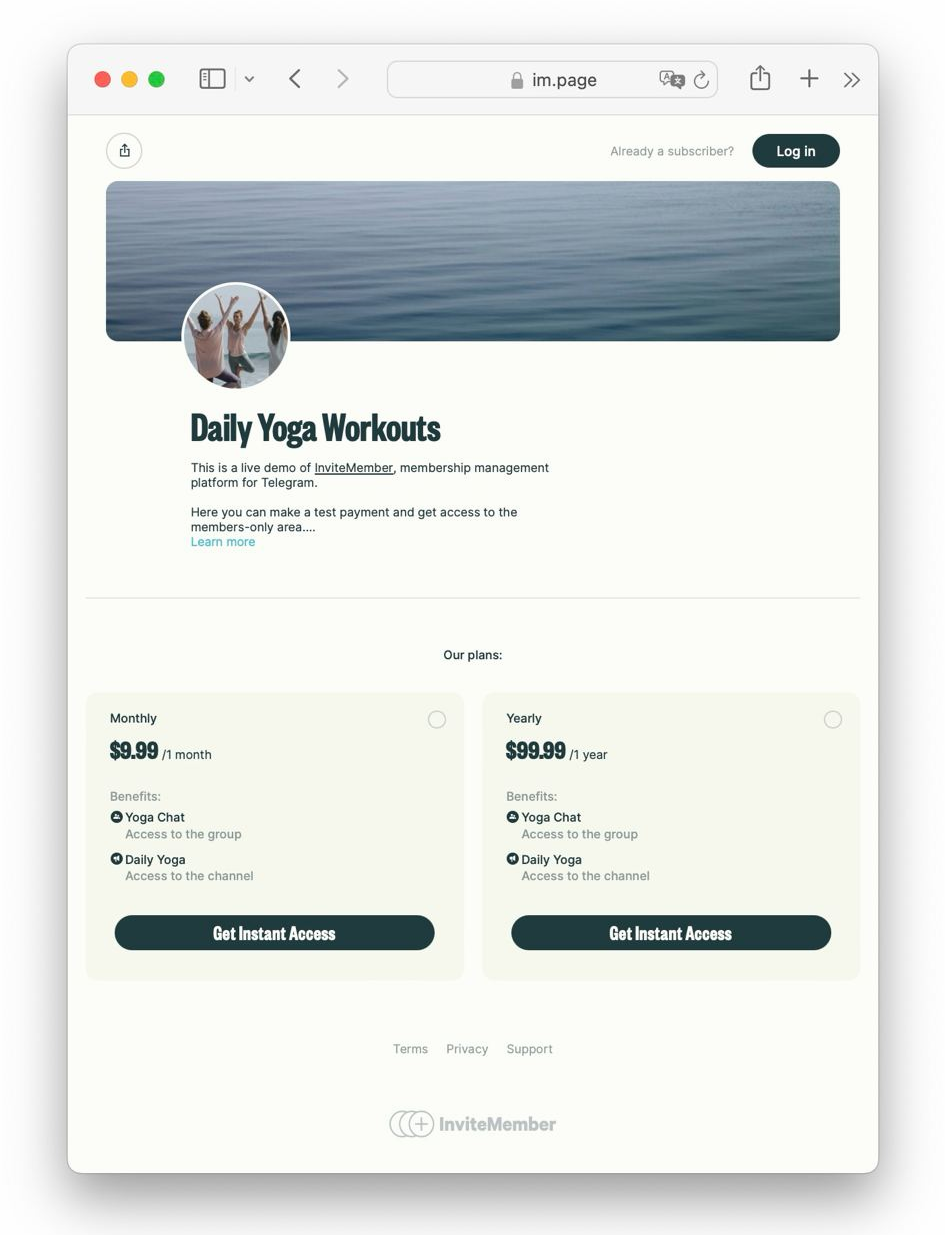
A paid Telegram group should normally be private. Members should receive access only after payment, trial approval, or manual approval. When a subscription ends, access should be removed.
Using a private Telegram group is great for discussion, coaching, peer support, feedback, accountability, and community conversations. InviteMember can connect that private group to a subscription plan so customers receive access after payment and expired members are removed automatically.
If you are setting this up, start with InviteMember's guide on how to connect a Telegram group.
FAQ
Can I search private Telegram groups?
Usually no. Private groups are not meant to be discovered through normal search. You normally need an invite link or a direct invitation. Once you're a member, or if you own it, you'll find the private group with the search function.
Can anyone join a public Telegram group?
If a group is public and open, people can find it through search or a public link and join. Some public groups may still have moderation or join restrictions.
Why can't I find a Telegram group by name?
The group may be private, renamed, restricted, deleted, or not using the name you searched for. Try a more specific search, check the official source, or ask the group owner for the correct link.
Should I use a Telegram group search bot?
Only with caution. Search bots and directories are not the same as Telegram verification. Always check the group yourself before joining.
Is a Telegram group better than a channel?
Use a group for conversation. Use a channel for broadcasts. Many paid communities use both: a private channel for content and a private group for discussion.
Final answer
Use Telegram group search for public groups, and use invite links for private groups. Search with specific terms, check the group before joining, avoid suspicious links, and never share sensitive data. If you run a paid group, keep it private and use a controlled access flow instead of publishing a normal invite link everywhere.

