

You can create a paid Discord server in two main ways.
The first way is Discord native monetization. Discord can sell Server Subscriptions and Server Products inside Discord if your server and account are eligible.
The second way is InviteMember role access. InviteMember connects your subscription plan to a Discord role. Active members get the role. When membership ends, InviteMember removes the role.
Both paths can work. The right choice depends on where you want payment, access, and member management to happen.
InviteMember vs Discord Native Monetization
| Option | What it sells | Best for | Main limits |
|---|---|---|---|
| InviteMember Discord role | A subscription plan that gives or removes a Discord role | Paid access managed through InviteMember | You must set Discord permissions correctly |
| Discord Server Subscriptions | Monthly paid tiers inside Discord | Eligible server owners who want checkout inside Discord | Eligibility, payout, country, policy, and mobile limits apply |
| Discord Server Shop | One-time Server Products | Digital files, one-time access, or Premium Roles | Not a normal recurring membership |
| Manual invites or manual roles | Access handled by an admin | Very small tests only | Easy to forget removals, refunds, and expired access |
If your goal is simple recurring access, InviteMember is usually about role automation: payment status changes the member role.
If your goal is native Discord checkout, use Discord's own monetization tools if you qualify and accept the rules.
What Discord Native Monetization Includes
Discord's native monetization has several parts.
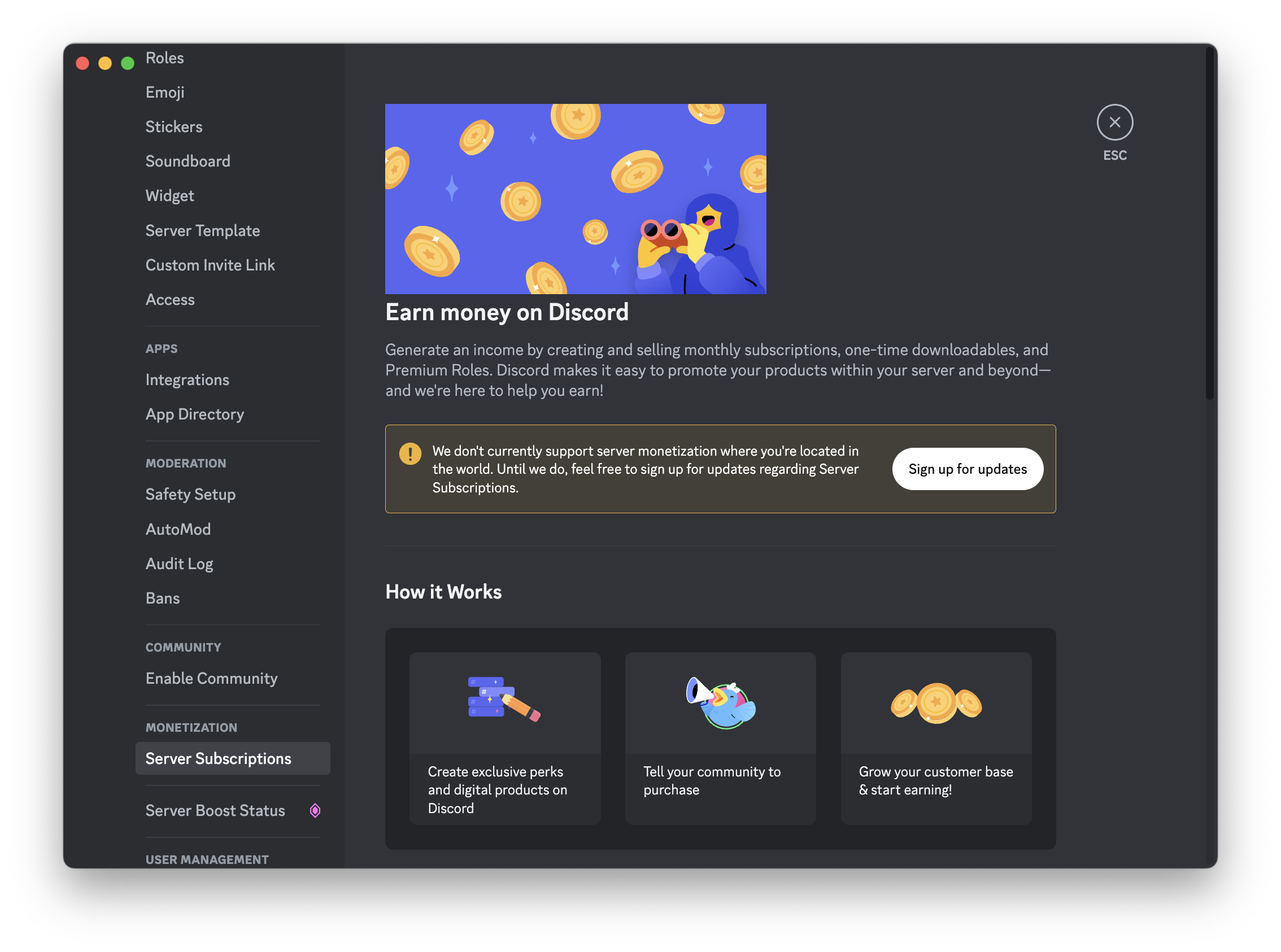
Server Subscriptions are monthly subscriptions to a server. Discord says creators can make paid tiers with their own prices and perks. These tiers can unlock premium channels or make the whole server paid.
Free trials can be enabled per Server Subscription tier. Discord says trials can last one day or one week, and members must cancel before the trial ends if they do not want to be charged.
Premium emoji can be added as a Server Subscription perk. Discord says you can add extra custom emoji for subscribers.
Server Shop is for one-time Server Products. Discord lists Downloadables and Premium Roles as product types. A Premium Role can give one-time access to a channel or other perk without a monthly subscription.
Promo Pages are public pages for a Server Subscription offer. Discord says they are available only for monetizing servers with published Server Subscription tiers.
Media Channels for Server Subscriptions are in beta. Discord says they can share videos, photos, and files with subscribers, but the feature is not available for all servers.
Native Discord monetization also has rules. Discord lists account, server, content, payout, and policy requirements in its Monetization Policy. If you use Discord's native path, read the current Discord rules before you launch.
When to Use InviteMember Instead
Use InviteMember when you want the subscription plan to control Discord access through a role.
This is useful when:
- you already sell subscriptions with InviteMember
- you want Discord access to be one resource inside a paid plan
- you want access removed automatically when membership ends
- you want to use normal Discord roles and channel permissions
- you do not want to manage paid roles by hand
InviteMember does not make Discord channels private by itself. Discord permissions do that. InviteMember assigns or removes the role. Discord decides what that role can see.
How Discord Access Works with InviteMember
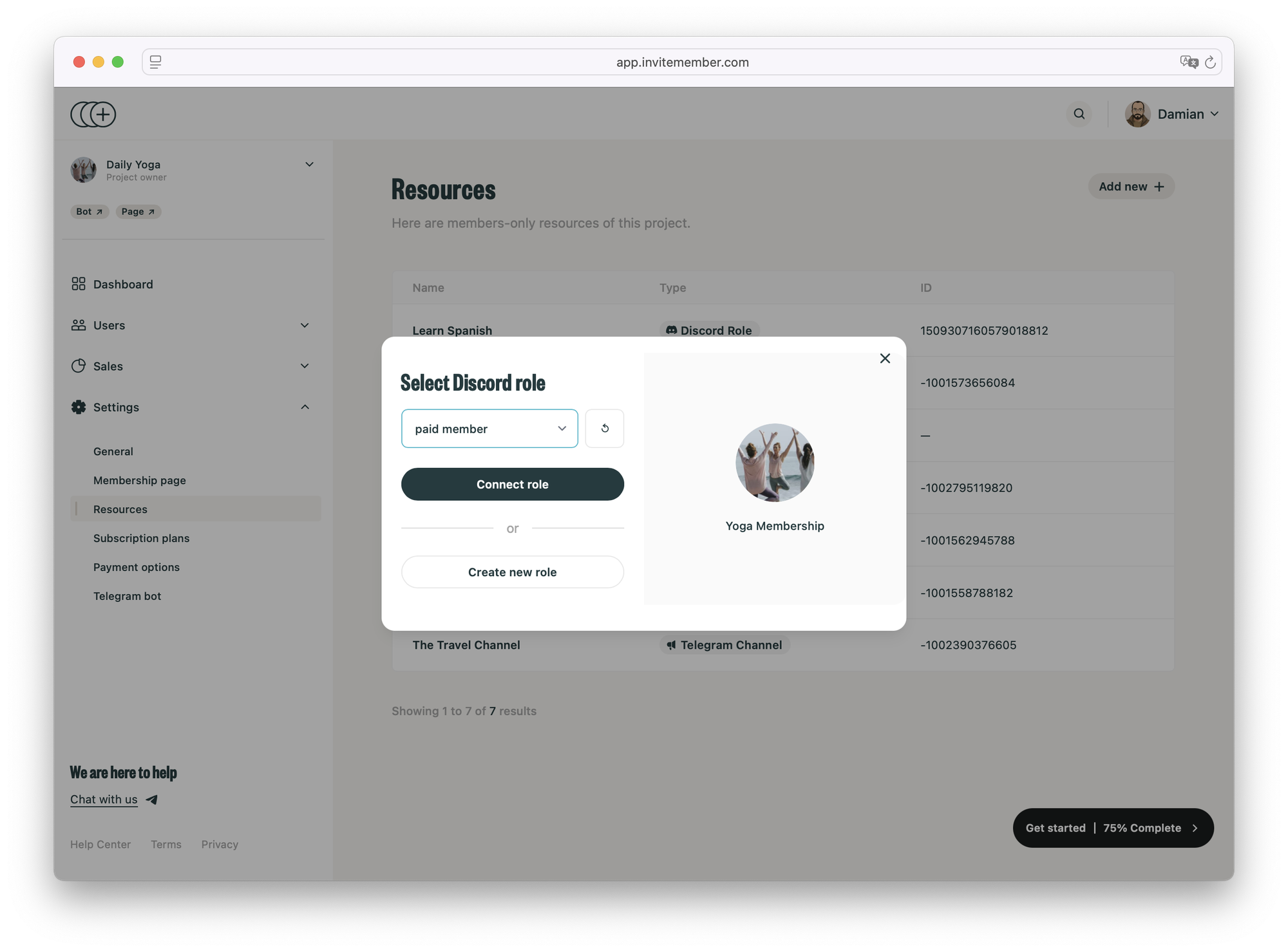
The setup has three parts:
- A Discord role for paid members.
- Discord channels, forums, or categories that only that role can access.
- An InviteMember subscription plan that includes the Discord role resource.
You can use this for:
- private text channels
- private voice channels
- private forum channels
- private categories
- public servers with paid member areas
- different roles for different subscription plans
You do not need to make the whole server private. Many communities keep public channels open and use a paid role only for premium areas.
Before You Connect the Role
Prepare the Discord server first.
- Open or create your Discord server.
- Create the role that paid members should receive.
- Create the private channels, private forum channels, or private categories that paid members should access.
- Set Discord permissions so only that role can view or use the paid areas.
For a private text or voice channel, make the channel private and allow the paid role to view it.
For a private forum channel, create the forum and restrict it to the paid role. Discord may ask some servers to enable Community before creating forum channels, but this is not required in every setup.
If you see an InviteMember entry in a channel permission list, do not use that as the member access rule. The paid member role is what should control access.
Connect the Discord Role in InviteMember
Open your InviteMember project and go to Settings > Resources.
Then:
- Click Add new +.
- Choose the Discord resource option.
- Connect your Discord server.
- Select the Discord role that InviteMember should manage.
- Approve the Discord authorization request.
Discord will ask you to authorize InviteMember. InviteMember needs permission to manage roles so it can add and remove the paid role for members.
Add the Role to a Subscription Plan
Connecting the Discord role creates the resource. Members still need a subscription plan that includes that resource.
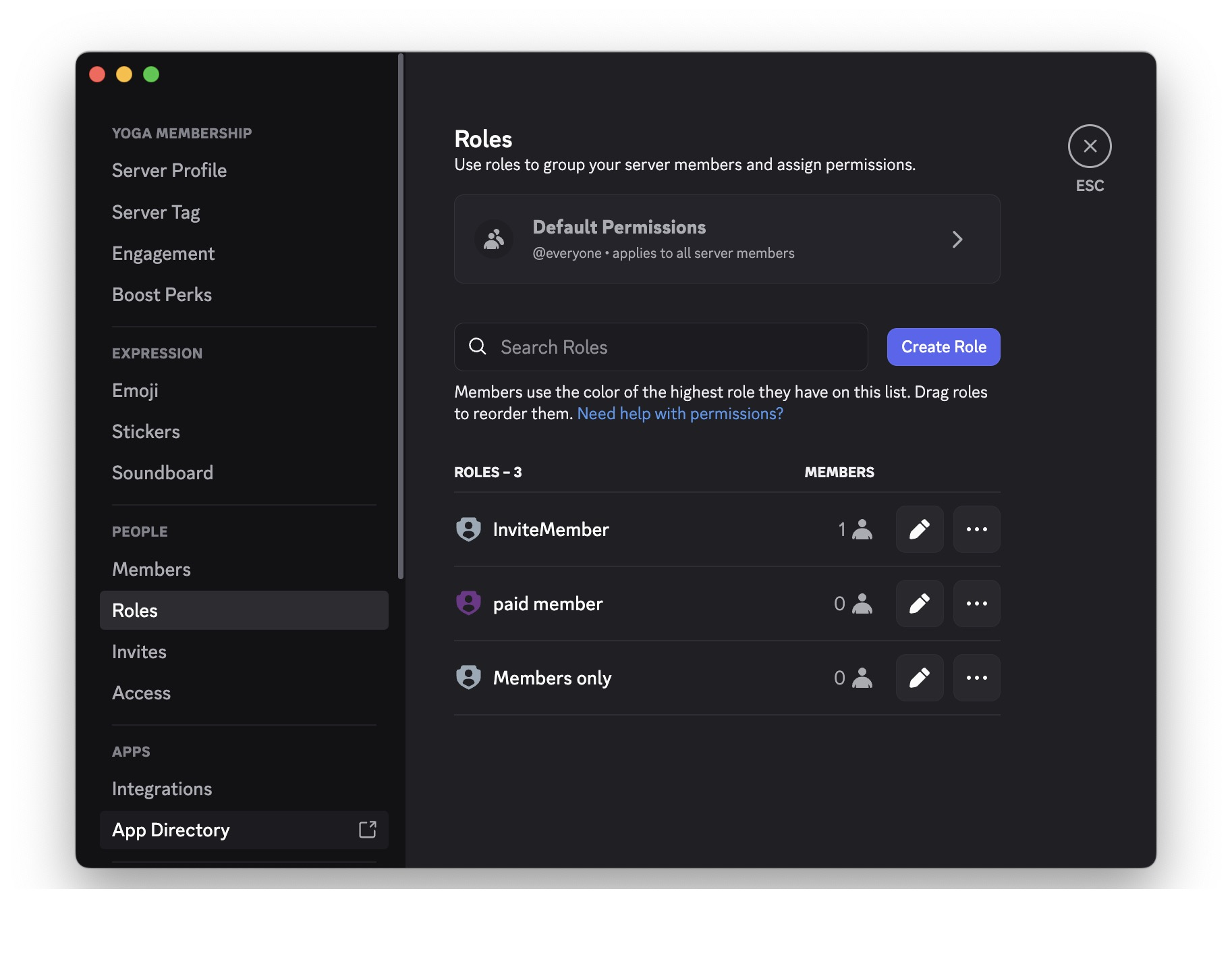
Open the Discord role resource in InviteMember. The Subscription plans section shows which plans already use the role.
If the section is empty, add the Discord role to the correct subscription plan. Then customers who buy that plan will receive the Discord role automatically.
Use the resource name and description to make the access clear. For example, describe which channels, forums, or member areas the role unlocks.
If the Role Is Grayed Out
If a role is grayed out in InviteMember, Discord is not allowing the bot to assign it.
Common reasons:
- the role is
@everyone - the role is managed by another Discord integration or bot
- the InviteMember bot role is below the paid role in Discord's role list
- the InviteMember bot does not have permission to assign roles
To fix it:
- Open Discord.
- Go to Server Settings > Roles.
- Move the InviteMember bot role above the paid member role.
- If the role is still unavailable, create a new normal Discord role for subscribers.
- Go back to InviteMember and refresh the role list.
Do not try to fix role order from the channel permissions screen. Role hierarchy is controlled in Discord's server role settings.
Test Before You Launch
Test the full flow before you sell the subscription.
Check that:
- a test member receives the correct Discord role
- the role opens only the intended channels or forums
- free members cannot see the paid areas
- the role is removed when the membership ends
- the member can rejoin correctly after buying again
This test matters because the paid server depends on two systems working together. InviteMember controls the role. Discord controls the channel permissions.
FAQ
Is InviteMember the same as Discord Server Subscriptions?
No. Discord Server Subscriptions are native paid tiers sold inside Discord. InviteMember manages access by adding or removing a Discord role based on an InviteMember subscription plan.
Can I use InviteMember for a paid Discord server?
Yes. InviteMember can connect a Discord role to a subscription plan. Active members receive the role, and expired members lose it automatically.
Can I use Discord Server Shop instead?
Use Server Shop for one-time Server Products, such as a Downloadable or Premium Role. Use InviteMember when you want subscription-based access managed through InviteMember.
Do I need a separate Discord subscription bot?
No, not if InviteMember is managing the subscription and the Discord role for you.
Can I use one Discord server for free and paid members?
Yes. Keep public channels open for everyone, then restrict premium channels or forums to the paid role.
What happens when a member cancels?
When the membership ends, InviteMember removes the Discord role. The member loses access to the channels or forums that require that role.
Short Version
Discord native monetization is best when you want Discord to handle the sale inside Discord and your server qualifies. InviteMember is best when you want an InviteMember subscription plan to control a Discord role. For InviteMember, create the role, lock the private channels to that role, connect the role in Settings > Resources, add it to a subscription plan, and test that access is added and removed correctly.

