

A paid Telegram community should not make people repeat details the membership system already has. Use a Custom Field only for an answer you need to deliver the membership, such as a link to review, a short coaching question, or a useful preference.
When a person presses Start in your membership bot, InviteMember identifies that Telegram account automatically. A membership-page customer returns with the email or Gmail account used at checkout. The project also keeps their plan, payment or subscription result, and Join buttons for private Telegram spaces in that plan.
What happens before a Custom Field?
| Moment | What the person does | What InviteMember identifies or handles |
|---|---|---|
| Membership bot entry | Presses Start in your bot | The Telegram account ID used to start the bot |
| Membership-page account | Signs in with the email or Gmail account used at checkout | The person’s page account and its membership area |
| Plan and payment | Chooses a plan and completes its payment route | The plan, payment or subscription result, and membership status |
| Private-resource entry | Uses the project’s Join button after activation | The Join button and controlled route into the channel or group included in the plan |
Do not ask for a Telegram username or ID merely to identify the person. Do not ask which plan they chose, whether they paid, or whether they can enter the channel or group. Those details already belong to the membership journey.
For the complete customer path from payment to a Telegram Join button, see how to join a paid Telegram channel or group.
What should you ask separately?
Use a Custom Field when the answer changes what you do for the member.
| What you need from the member | Field type | A clear label |
|---|---|---|
| A link to something you will review | URL | Share the link you want reviewed |
| A short explanation in the member’s own words | Text answer | What would you like help with first? |
| One choice from a fixed list | Single choice | Which session time works best for you? |
| More than one choice from a fixed list | Multiple choice | Which topics would you like to see? |
| A phone number for a real service reason | Phone | Phone number for session reminders |
Use Single choice for one answer and Multiple choice for several. Require a review link only when the review cannot begin without it; a person joining only to read a channel should not have to give a phone number for a possible future use.
What does the member see?
New members complete Custom Fields during signup:
- On the membership page, the person answers them as part of page signup.
- In the membership bot, the person answers them directly in Telegram during signup.
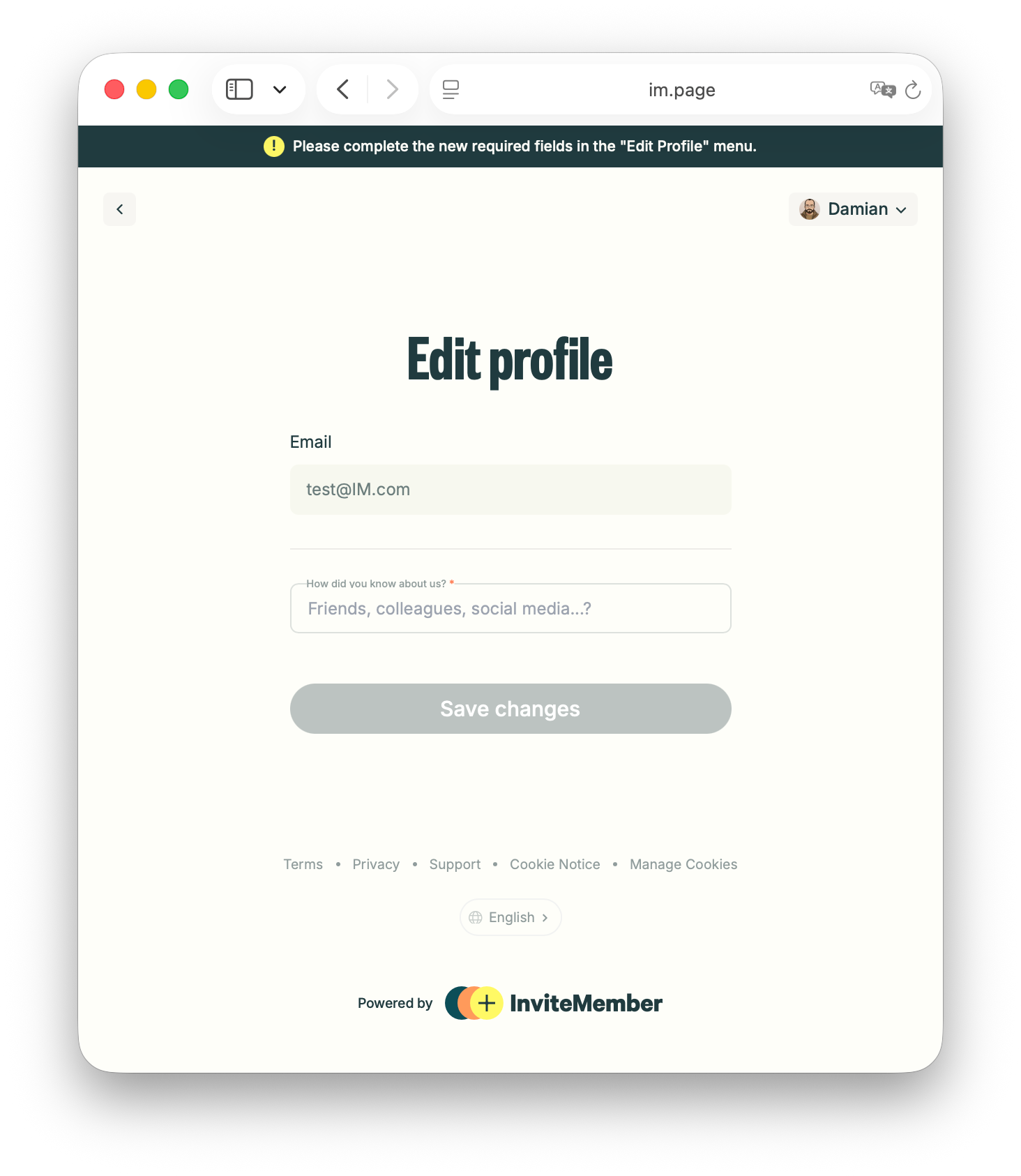
- When you add a new required field later, existing members are asked to complete it from their Profile page.
A required field can create a task for current members, not only future customers. It should be necessary for the membership you deliver. After payment or activation, people still use the project’s Join buttons to enter private channels and groups; a Custom Field does not replace access or change a payment result.
Add a Custom Field in InviteMember
- Open the relevant project in your InviteMember dashboard.
- Select Settings, open Project, then select Custom fields.
- Select Add custom field and choose Text answer, Phone, URL, Multiple choice, or Single choice.
- Write the Field label the member will see. For a text question, add Placeholder text when an example will help.
- Turn on Require this field only when you need the answer to deliver the membership.
- Select Save changes.
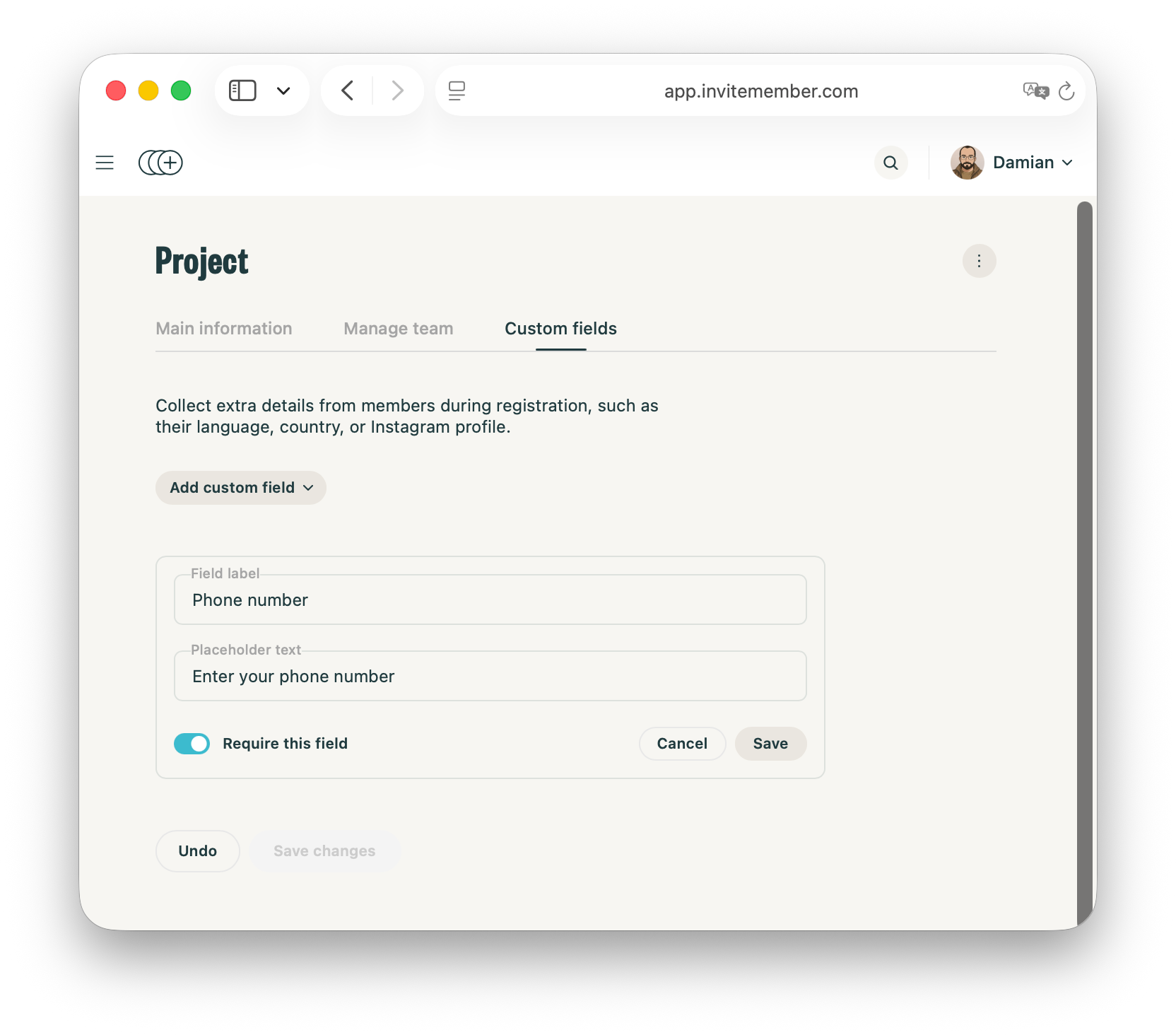
Use a label that tells the person exactly what to provide: Share the link you want reviewed, not Profile information.
Choose required or optional
Make it required when you need the answer before you can provide what the person bought. Make it optional when it improves the experience but the person can receive the membership without it, such as a content preference.
For plans, payment options, and private resources, begin with how to start a paid community on Telegram or Discord.
Test both member routes
- Begin signup on the membership page. Check that the label and choices are clear without extra explanation.
- Open the membership bot and press Start. Check that the question makes sense inside Telegram too.
- Complete the plan, payment, and Join-button test. A field must not be treated as payment confirmation or a replacement for access.
- For a new required field, use an existing test membership and check that the Profile-page request is clear.
After a person joins, use a Telegram welcome message to tell them where to begin.
Keep support questions out of signup
Keep support questions out of registration. Members with payment or access questions can write to the membership bot. A separate Telegram AI support bot can handle repeated questions without making signup longer.
FAQ
Do I need to ask for an email address or Telegram username again?
No. The membership bot identifies its Telegram account, and a page customer returns with the email or Gmail account used at checkout. Add a field only for extra information.
Can Custom Fields decide who gets access to a paid channel or group?
No. They collect an answer. An active plan and the project’s Join buttons control the access route.
What happens when I add a required field later?
Existing members are asked to complete it from their Profile page. Check that the question remains useful for them before saving it.

